Stage 9: Key-and-Door Mission
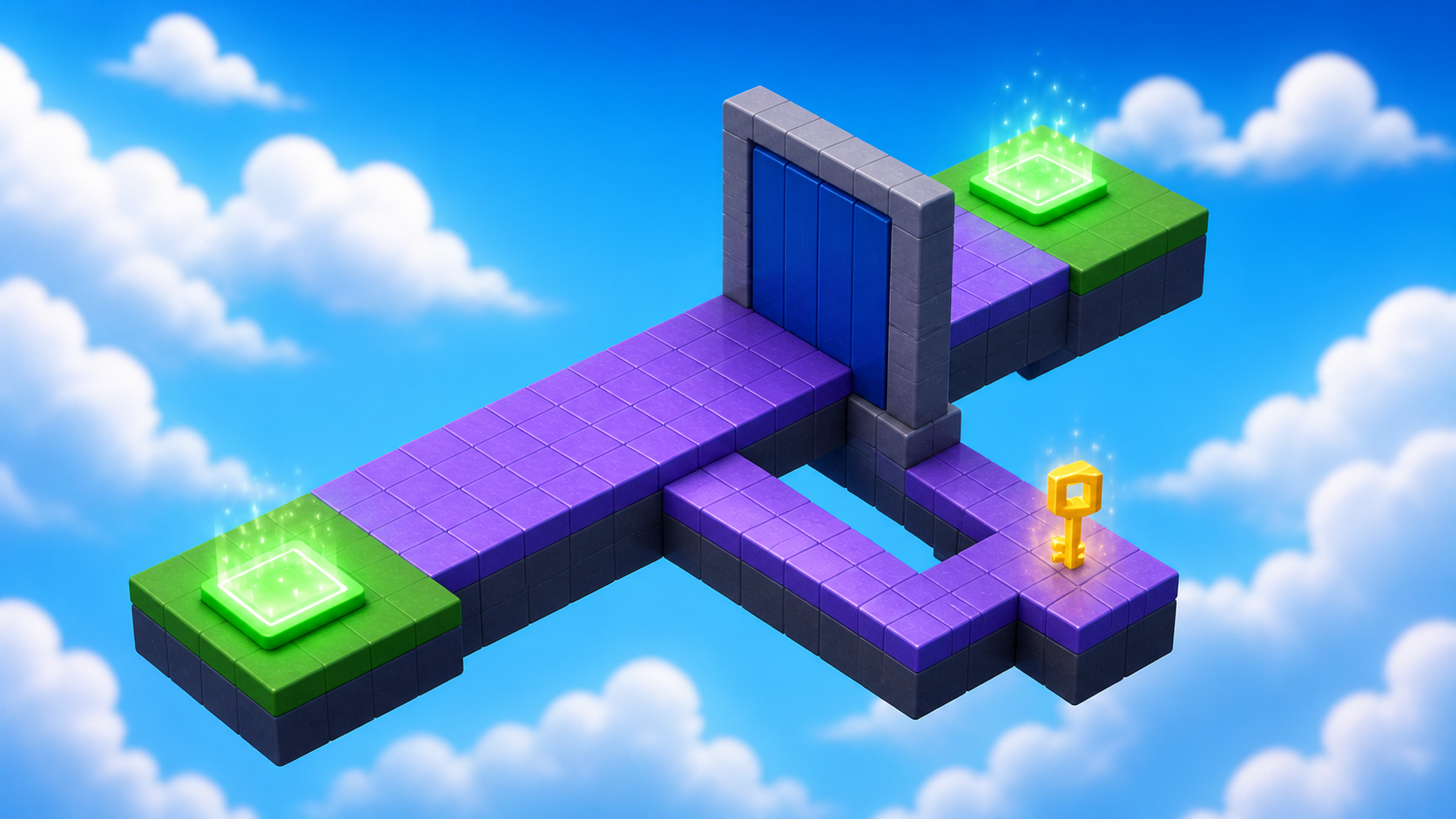
Your arena spins fair, saved at Checkpoint_09. Ahead, something no obstacle so far could do: your game learns to remember. A locked door, a hidden key — and a player who has to explore.
Narration transcript
- Stage Eight made rotation fair, saved at Checkpoint zero nine. Keep that tested checkpoint open. Stage Nine begins there.
- Build a locked door and a hidden key, learn how a boolean remembers, and ship a mission players solve by exploring.
- Spoken bridge: Mission ready. First, understand the idea that makes this stage work.
a locked door and a key worth finding
how a boolean remembers and a condition uses it later
a mission players solve by exploring
Idea
Narration transcript
- A boolean is a variable that remembers yes or no. hasKey starts false, flips true when the key is touched, and a condition lets the door open only after. Names matter again: the script finds Key and Door by name inside your stage folder.
- Spoken bridge: Turn that idea into three small Logic Cards.
A game needs memory when one action affects a later action. The boolean hasKey begins as false. Touching the key flips it to true. The door asks an if question before opening. Input → memory → condition → result.
Two names matter more than anything else today: the script finds the key with stageFolder:WaitForChild("Key"), so Key and Door must be spelled exactly and sit as siblings in your stage folder.
One more thing: your game is a solo adventure — it remembers one key, for the one player testing it. Games where every player carries their own backpack come later, in a multiplayer course.
Logic Board
Finish these cards from left to right. Each card becomes a Code Quest below.
- 1Card A
Narration transcript
- Remember the key with a boolean.
- The key disappears once and memory becomes true.
Remember the key
Remember the key with a boolean.
Done when: The key disappears once and memory becomes true. - 2Card B
Narration transcript
- Ask the condition at the door.
- The door stays shut without the key.
Ask at the door
Ask the condition at the door.
Done when: The door stays shut without the key. - 3Card C
Narration transcript
- Prove the mission and save the checkpoint.
- Finding the key opens the way and Checkpoint zero ten saves.
- Spoken bridge: The plan is complete. Pick your Build Mode on the page and build one card at a time — pause after every Studio action.
Prove the mission
Prove the mission and save the checkpoint.
Done when: Finding the key opens the way and Checkpoint_10 saves.
Build
Pick your Build Mode for the mission layout — the memory script is the same for everyone. Watch the two exact names.
Every builder plays this stage in their own mode. Which sounds like you?
Not sure? Start with Guided — you can level up on any stage, and your pick follows you through the whole course.
Names that must match
Build inside Workspace → Course → Stage09, from Checkpoint_09 to Checkpoint_10. Scripts find objects by name — these spellings are the wiring. Everything else about each object is your call.
MainPathThe main route the door blocks.DoorBlocks the main path until the key is found. The exact name matters.Must have: Script: DoorControllerKeyPathThe side branch that leads to the key.KeyThe pickup that opens the door. Must be Door's sibling with this exact name — the script calls stageFolder:WaitForChild("Key").Must have: CanCollide falseLanding_10The landing that ends the stage — Checkpoint_10 stands here.
Reference buildStuck, or just want to copy ours? Here is exactly how we built this stage.
These values always work together. Copy them as-is, or borrow a few and keep the rest of the stage yours.
Build this partMainPath
Part · BlockOpen recipe
MainPath
Part · Block- Size
- 12 × 1 × 28
- Anchored
- ✓ Yes
- Orientation
- 0 × 0 × 0
- CanCollide
- ✓ Yes
- Place
- Position [0, 3.5, 536] inside Workspace → Course → Stage09
Build this partDoor
Part · BlockOpen recipe
Door
Part · Block- Size
- 12 × 10 × 1
- Anchored
- ✓ Yes
- Orientation
- 0 × 0 × 0
- CanCollide
- ✓ Yes
- Place
- Position [0, 8.5, 550] inside Workspace → Course → Stage09
Children: Script: DoorController.
Build this partKeyPath
Part · BlockOpen recipe
KeyPath
Part · Block- Size
- 6 × 1 × 18
- Anchored
- ✓ Yes
- Orientation
- 0 × 0 × 0
- CanCollide
- ✓ Yes
- Place
- Position [9, 3.5, 532] inside Workspace → Course → Stage09
Build this partKey
Part · BlockOpen recipe
Key
Part · Block- Size
- 2 × 2 × 1
- Color
- Bright yellow
- Material
- Neon
- Anchored
- ✓ Yes
- Orientation
- 0 × 0 × 0
- CanCollide
- ✗ No
- Place
- Position [9, 5.5, 540] inside Workspace → Course → Stage09
Build this partLanding_10
Part · BlockOpen recipe
Landing_10
Part · Block- Size
- 12 × 1 × 14
- Anchored
- ✓ Yes
- Orientation
- 0 × 0 × 0
- CanCollide
- ✓ Yes
- Place
- Position [0, 3.5, 557] inside Workspace → Course → Stage09
Code
Build the remembered state
Narration transcript
- Build your mission per your track: a main path, a Door that fully blocks it, and a side branch leading to a floating Key — Key and Door named exactly, siblings in the stage folder. Then insert DoorController inside Door and type the key-memory handler. Collect the key once in Play mode.
- Spoken bridge: Card A now matches its success check. Continue to Card B.
A — Remember. Build your mission per your track. Then insert a Script inside Door, rename it DoorController, and type the key-memory handler. Press Play and collect the key — it should disappear exactly once, and the door should change color.
local door = script.Parent
local stageFolder = door.Parent
local key = stageFolder:WaitForChild("Key")
local hasKey = false

key.Touched:Connect(function(otherPart)
  local humanoid = otherPart.Parent:FindFirstChildOfClass("Humanoid")
  if humanoid and not hasKey then
    hasKey = true
    key.Transparency = 1
    key.CanCollide = false
    key.CanTouch = false
    door.Color = Color3.fromRGB(80, 220, 100)
  end
end)
Ask the door condition
Narration transcript
- The door asks two questions at once: did a player touch me, AND was the key collected? That is a condition reading memory.
- Continue the script with the door's Touched handler and its double check.
- Spoken bridge: The behavior passed its focused test. Finish the checkpoint handoff.
The door asks two questions at once: did a player touch me, AND was the key collected? That's a condition reading memory.
B — Ask and reward. Continue the same Script with the door's complete handler — the double check and the reward. Then test twice: walk into the door without the key (it refuses you), then restart Play, collect the key, and try again (it opens).
door.Touched:Connect(function(otherPart)
  local humanoid = otherPart.Parent:FindFirstChildOfClass("Humanoid")
  if humanoid and hasKey then
    door.CanCollide = false
    door.Transparency = 0.75
  end
end)
The two checks on one line mean "a player touched me AND the key was collected."
Open the rewarded route
Narration transcript
- Finish the handler so the door opens when hasKey is true. Test twice — locked first, then a fresh run collecting the key. Then add Landing zero ten and complete the Checkpoint zero ten recipe.
- Spoken bridge: The next checkpoint saved. One designer check before you style it: does your stage pass?
C — Save the win. Add an anchored Landing_10 flush against the path past the door (reference: [12, 1, 14]), then complete the checkpoint recipe. Touch it and reset.
Compare your finished script
local door = script.Parent
local stageFolder = door.Parent
local key = stageFolder:WaitForChild("Key")
local hasKey = false

key.Touched:Connect(function(otherPart)
  local humanoid = otherPart.Parent:FindFirstChildOfClass("Humanoid")
  if humanoid and not hasKey then
    hasKey = true
    key.Transparency = 1
    key.CanCollide = false
    key.CanTouch = false
    door.Color = Color3.fromRGB(80, 220, 100)
  end
end)

door.Touched:Connect(function(otherPart)
  local humanoid = otherPart.Parent:FindFirstChildOfClass("Humanoid")
  if humanoid and hasKey then
    door.CanCollide = false
    door.Transparency = 0.75
  end
end)
Checkpoint recipeSave progress at Stage 10
Using the voice guide? It reads one recipe step, waits while you work, then continues when you choose Done — hear next step.
- Insert one SpawnLocation in Workspace and rename it
Checkpoint_10. Set Size to about[6, 1, 6]and Anchored totrue. Centered on the landing that ends Stage 9, with its top just above the landing surface. (Our reference build puts it at Position[0, 4.5, 557].) - Set Neutral to
false, Enabled totrue, and AllowTeamChangeOnTouch totrue. - Set the SpawnLocation TeamColor to
Really red. Set its visual BrickColor to the same named color. TeamColor controls respawning; BrickColor only controls what the pad looks like. - Point at Teams in Explorer, select its +, and insert one Team named
Stage 10. Set its TeamColor toReally redand AutoAssignable tofalse. Never reuse this TeamColor on another checkpoint. - Press Play. Climb to and touch
Checkpoint_10, then reset your character and confirm you respawn there. Press Stop before editing again.
Workspace → Checkpoint_10Teams → Stage 10 (Really red)Does It Pass?
Narration transcript
- Time for the designer check. Play your mission and walk the pass list: the door blocks every angle until the key, something hints where to explore, the unlock feels earned, and a fresh run starts locked again. A rule that fails is just the next thing to tune.
- Spoken bridge: Your stage passes — it is a real level now. Time to make it feel like your game.
Does your stage pass?
Play your stage and check each one. A rule that fails isn't a mistake — it's just the next thing to tune.
- Nothing moves, falls, or drifts — every part stays exactly where you put it.Check: Press Play — everything stays put.Tip: Anchored on for every part, and CanCollide on for anything players stand on.
- The door fully blocks the main path — no squeezing past its edges.Check: Try every angle before finding the key: you stay stuck.
- The key waits on a side branch a curious player can spot from the main path.Check: Stand at the door and look around: something hints where to go.
- Touching the key opens the way, and the route to it and back is a fair walk.Check: Grab the key, return, and pass the door in one clean run.
Make It Yours
Narration transcript
- Decide what a key IS in your world — a crystal, a gear, a spellbook, a golden gummy. Restyle Key and Door to match; their names stay exact for the script, but their look belongs to your game.
- Spoken bridge: That is your stamp on the stage. Now explain what made it work.
What is a key in your world? A crystal shard, a brass gear, a spellbook, a golden gummy? Restyle Key and Door to match — their names stay exact for the script, but their look belongs to your game. A player should recognize your key as special the moment they see it.
Help Ladder
Stuck? Choose what went wrong
Pick the problem that matches. Open one clue, try it, then return only if you still need help.
My parts overlap or miss the next checkpoint
Clue 1: small hint
Narration transcript
- Stop Play mode and check one part against the stage rules before touching anything else.
Clue 2: where to look
Narration transcript
- Check Workspace, Course, Stage zero 9, and keep both checkpoints directly inside Workspace.
Workspace → Course → Stage09. Find Checkpoint_09 and Checkpoint_10 directly inside Workspace.Clue 3: worked answer
Narration transcript
- Walk your stage rules top to bottom and fix the first rule that fails. If you want a layout that always works, open the reference build and copy its values.
Checkpoint_09.the door never opens
Clue 1: small hint
Narration transcript
- Prove the key changes memory before debugging the door.
Clue 2: where to look
Narration transcript
- Add a print of hasKey after setting it true, and read Output.
print("hasKey", hasKey) after setting hasKey true and read Output.Clue 3: worked answer
Narration transcript
- Door and Key must both be direct children of Stage zero nine. Both event handlers and the single hasKey variable belong in DoorController inside Door.
Stage09. Both event handlers and the single hasKey variable belong in DoorController inside Door.Learn What Happened
Narration transcript
- One boolean remembered the pickup, and one condition used that memory at the door. This stage stays intentionally solo: each player's game remembers only their own key.
- Spoken bridge: Use one small prediction to transfer that idea.
hasKey is your game's memory. not hasKey prevents double collection; the door reads the same variable later. Stopping and restarting Play resets it — which is exactly how you tested the locked state fresh. One boolean, one condition, one mission.
Try This
Narration transcript
- Predict what happens if hasKey starts as true, compare with the real locked start, and connect the result to the condition.
- Spoken bridge: Finish with four proof checks. Each check must match something you can observe or explain.
Try this
Three short thinking checks. Use evidence from the stage you just built.
Prove It
Narration transcript
- Spoken bridge: Final proof. Confirm one result at a time.
- Your door fully blocks the main path, and the Key waits on a branch a player can discover.
- Locked, unlocked, and fresh-session states all work.
- Checkpoint_10 saves progress and reset returns you there.
- You can explain hasKey, its condition, and the solo scope.
Narration transcript
- Stage Nine complete. Your game remembers now, and you earned one hundred XP. Stage Ten is launch day: the final puzzle, the full playtest, and your game going live.