Stage 5: Vanishing Platforms
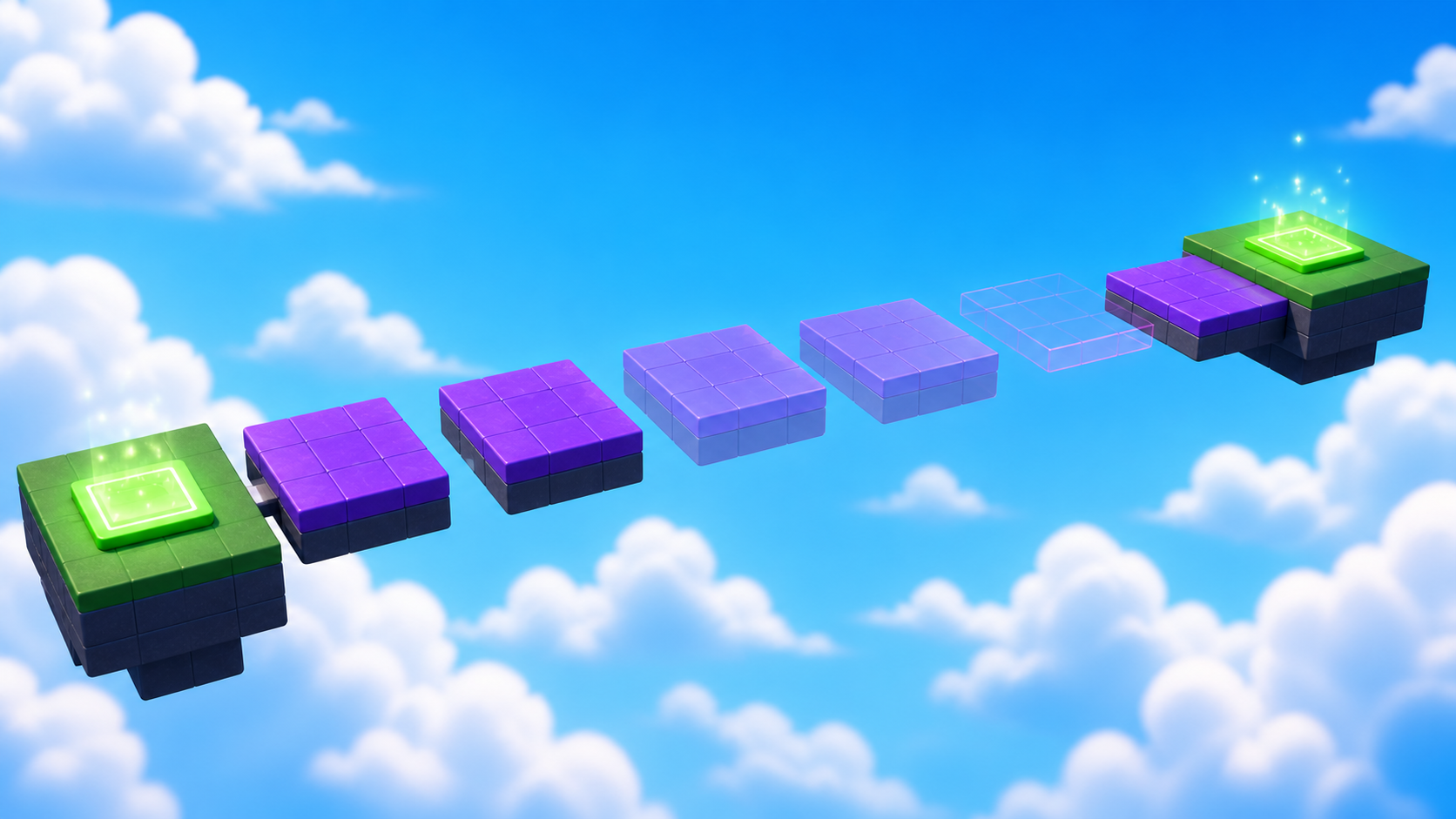
Your world reacts now — your first script guards the crossing saved at Checkpoint_05. Ahead, the floor itself stops cooperating: platforms that vanish under your players' feet.
Narration transcript
- Stage Four made your world react with your first Lua script, saved at Checkpoint zero five. Keep that tested checkpoint open. Stage Five begins there.
- Build platforms that vanish and return, learn how state protects behavior, and ship a run a patient player can always cross.
- Spoken bridge: Mission ready. First, understand the idea that makes this stage work.
platforms that vanish and return on a rhythm
how state describes what an object is doing right now
a run a steady player can always cross
Idea
Narration transcript
- State is information an object remembers about itself. Each platform tracks whether it is busy running its vanish cycle, so repeated touches cannot break it. Warn, vanish, return — a rhythm players learn instead of guess.
- Spoken bridge: Turn that idea into three small Logic Cards.
A state describes how something is right now. A platform can be solid, warning, or hidden. Code moves it through those states by changing properties — and back again.
One state matters most: busy. Without it, many body parts touching at once would start the same cycle many times and tangle it. The busy variable is the platform's memory — state protecting behavior.
Logic Board
Finish these cards from left to right. Each card becomes a Code Quest below.
- 1Card A
Narration transcript
- Build one platform and guard its script with busy.
- A player touch starts one protected function.
Guard the cycle
Build one platform and guard its script with busy.
Done when: A player touch starts one protected function. - 2Card B
Narration transcript
- Fade the platform, then turn collision off.
- The player falls through after a fair warning.
Change state
Fade the platform, then turn collision off.
Done when: The player falls through after a fair warning. - 3Card C
Narration transcript
- Reset the state, duplicate the run, and save the checkpoint.
- Every platform cycles and Checkpoint zero six saves.
- Spoken bridge: The plan is complete. Pick your Build Mode on the page and build one card at a time — pause after every Studio action.
Reset and multiply
Reset the state, duplicate the run, and save the checkpoint.
Done when: Every platform cycles and Checkpoint_06 saves.
Build
Pick your Build Mode for the layout — the script is the same for everyone, and this time it rides along with every duplicate.
Every builder plays this stage in their own mode. Which sounds like you?
Not sure? Start with Guided — you can level up on any stage, and your pick follows you through the whole course.
Names that must match
Build inside Workspace → Course → Stage05, from Checkpoint_05 to Checkpoint_06. The scripts here live inside the parts they control — no name hunting yet. These names keep your Explorer readable and your stage debuggable. In Stage 7, scripts start finding parts by name — then spelling becomes law.
Vanish_1–6Platforms that warn, vanish, and return. Build 4 to 8 — your call.Must have: Script in every platform: VanishControllerLanding_06The landing that ends the stage — Checkpoint_06 stands here.
Reference buildStuck, or just want to copy ours? Here is exactly how we built this stage.
These values always work together. Copy them as-is, or borrow a few and keep the rest of the stage yours.
Build this partVanish_1–6
6 Parts · BlockOpen recipe
Vanish_1–6
6 Parts · Block- Size
- 7 × 1 × 7
- Anchored
- ✓ Yes
- Orientation
- 0 × 0 × 0
- CanCollide
- ✓ Yes
- Place
- 1: [0, 3.5, 272] · 2: [0, 3.5, 283] · 3: [0, 3.5, 294] · 4: [0, 3.5, 305] · 5: [0, 3.5, 316] · 6: [0, 3.5, 327] inside Workspace → Course → Stage05
Children: Script in every platform: VanishController.
Build this partLanding_06
Part · BlockOpen recipe
Landing_06
Part · Block- Size
- 12 × 1 × 12
- Anchored
- ✓ Yes
- Orientation
- 0 × 0 × 0
- CanCollide
- ✓ Yes
- Place
- Position [0, 3.5, 341] inside Workspace → Course → Stage05
Code
Build and guard the platform
Narration transcript
- Build one platform your way inside Stage zero five, insert a Script named VanishController, and type the guarded function start. The busy variable is the platform's memory — it stops a second cycle from starting mid-cycle.
- Spoken bridge: Card A now matches its success check. Continue to Card B.
A — Guard the cycle. Build one platform your way inside Stage05. Insert a Script inside it, rename it VanishController, delete the placeholder, and type the guarded start below. The busy variable is the platform's memory — it stops a second cycle from starting mid-cycle. (Studio will underline an error — that's right: the function isn't closed until Card C.)
local platform = script.Parent
local busy = false

local function vanish()
  if busy then return end
  busy = true
The early return stops a second sequence while the first is running.
Move into the hidden state
Narration transcript
- Transparency changes what players see. CanCollide changes what they stand on. Together they create the hidden state.
- Continue inside the function: fade the platform as a warning, then turn collision off and vanish it.
- Spoken bridge: The behavior passed its focused test. Finish the checkpoint handoff.
Transparency changes what players see. CanCollide changes what they can stand on. Together they create the hidden state.
B — Change state. Continue inside the function: fade the platform as a warning, then turn collision off and vanish it.
  platform.Transparency = 0.8
  task.wait(1.5)
  platform.CanCollide = false
  platform.Transparency = 1
The 1.5-second fade is the player's metronome — long enough to make the next hop calmly before the floor stops being floor.
Reset, multiply, and save
Narration transcript
- Finish the reset, connect the Touched event, and test one platform. Then duplicate the whole platform — script and all — into a run of four to eight with fair gaps, add Landing zero six, and complete the Checkpoint zero six recipe.
- Spoken bridge: The next checkpoint saved. One designer check before you style it: does your stage pass?
C — Reset and multiply. Finish the script below and test one platform. When its cycle feels learnable, duplicate the whole platform — including its Script — into your full run per your track. Then add an anchored Landing_06 after the last platform (reference: [12, 1, 12]) and complete the checkpoint recipe.
  task.wait(2)
  platform.CanCollide = true
  platform.Transparency = 0
  busy = false
end

platform.Touched:Connect(function(otherPart)
  local humanoid = otherPart.Parent:FindFirstChildOfClass("Humanoid")
  if humanoid then vanish() end
end)
Compare your finished script
local platform = script.Parent
local busy = false

local function vanish()
  if busy then return end
  busy = true

  platform.Transparency = 0.8
  task.wait(1.5)
  platform.CanCollide = false
  platform.Transparency = 1

  task.wait(2)
  platform.CanCollide = true
  platform.Transparency = 0
  busy = false
end

platform.Touched:Connect(function(otherPart)
  local humanoid = otherPart.Parent:FindFirstChildOfClass("Humanoid")
  if humanoid then vanish() end
end)
Checkpoint recipeSave progress at Stage 6
Using the voice guide? It reads one recipe step, waits while you work, then continues when you choose Done — hear next step.
- Insert one SpawnLocation in Workspace and rename it
Checkpoint_06. Set Size to about[6, 1, 6]and Anchored totrue. Centered on the landing that ends Stage 5, with its top just above the landing surface. (Our reference build puts it at Position[0, 4.5, 341].) - Set Neutral to
false, Enabled totrue, and AllowTeamChangeOnTouch totrue. - Set the SpawnLocation TeamColor to
Cyan. Set its visual BrickColor to the same named color. TeamColor controls respawning; BrickColor only controls what the pad looks like. - Point at Teams in Explorer, select its +, and insert one Team named
Stage 6. Set its TeamColor toCyanand AutoAssignable tofalse. Never reuse this TeamColor on another checkpoint. - Press Play. Climb to and touch
Checkpoint_06, then reset your character and confirm you respawn there. Press Stop before editing again.
Workspace → Checkpoint_06Teams → Stage 6 (Cyan)Does It Pass?
Narration transcript
- Time for the designer check. Play your run and walk the pass list: every platform warns before it vanishes, a patient player can always cross, every copy carries its script, and repeated touches never break the rhythm. A rule that fails is just the next thing to tune.
- Spoken bridge: Your stage passes — it is a real level now. Time to make it feel like your game.
Does your stage pass?
Play your stage and check each one. A rule that fails isn't a mistake — it's just the next thing to tune.
- Nothing moves, falls, or drifts — every part stays exactly where you put it.Check: Press Play — everything stays put.Tip: Anchored on for every part, and CanCollide on for anything players stand on.
- Every platform visibly warns before it vanishes, so players learn the rhythm instead of guessing.Check: Watch one full cycle: warn, vanish, return.
- A steady player can cross the whole run — fair warning on every platform, never a lucky jump.Check: Cross the full run at a calm, steady pace.
- Every vanishing platform carries its own VanishController script.Check: Open each platform in Explorer and see the script inside.
Make It Yours
Narration transcript
- Give the warning your world's voice. Ice can crack, clouds can fade, slime can bubble — pick warning colors and materials that tell players, in your world's language, that the ground is about to leave.
- Spoken bridge: That is your stamp on the stage. Now explain what made it work.
Give the warning the voice of your world. Ice can crack white before it breaks; clouds can thin to wisps; slime can bubble green. Pick warning colors and materials that tell players — in your world's language — that the ground is about to leave.
Help Ladder
Stuck? Choose what went wrong
Pick the problem that matches. Open one clue, try it, then return only if you still need help.
My parts overlap or miss the next checkpoint
Clue 1: small hint
Narration transcript
- Stop Play mode and check one part against the stage rules before touching anything else.
Clue 2: where to look
Narration transcript
- Check Workspace, Course, Stage zero 5, and keep both checkpoints directly inside Workspace.
Workspace → Course → Stage05. Find Checkpoint_05 and Checkpoint_06 directly inside Workspace.Clue 3: worked answer
Narration transcript
- Walk your stage rules top to bottom and fix the first rule that fails. If you want a layout that always works, open the reference build and copy its values.
Checkpoint_05.the platform never returns
Clue 1: small hint
Narration transcript
- The reset instructions must run before the function ends.
Clue 2: where to look
Narration transcript
- Check the lines after the two-second wait and confirm they sit above the closing end.
end.Clue 3: worked answer
Narration transcript
- After the two-second wait, set CanCollide true, Transparency zero, and busy false, then close the function.
task.wait(2), set CanCollide true, Transparency 0, and busy false, then close the function.Learn What Happened
Narration transcript
- Each platform remembered its own state, so the busy check protected the cycle from repeated touches. State plus a condition is how games make behavior reliable.
- Spoken bridge: Use one small prediction to transfer that idea.
Each platform remembered its own state, and the busy check protected the cycle from repeated touches. The sequence always restores collision before making the platform visible — so what players see never lies about what they can stand on. State plus a condition is how games make behavior reliable.
Try This
Narration transcript
- Predict what would break without the busy check, compare by touching a platform twice quickly, and connect the result to state.
- Spoken bridge: Finish with four proof checks. Each check must match something you can observe or explain.
Try this
Three short thinking checks. Use evidence from the stage you just built.
Prove It
Narration transcript
- Spoken bridge: Final proof. Confirm one result at a time.
- Every platform in your run completes its warn, vanish, and return cycle.
- Repeated touches and the timing stay safe without errors.
- Checkpoint_06 saves progress and reset returns you there.
- You can explain how busy protects each platform's state.
Narration transcript
- Stage Five complete. Your platforms keep their own state and you earned one hundred XP. Stage Six puts a rhythm-keeping laser across the path.