Stage 2: Shape-Shift Steps
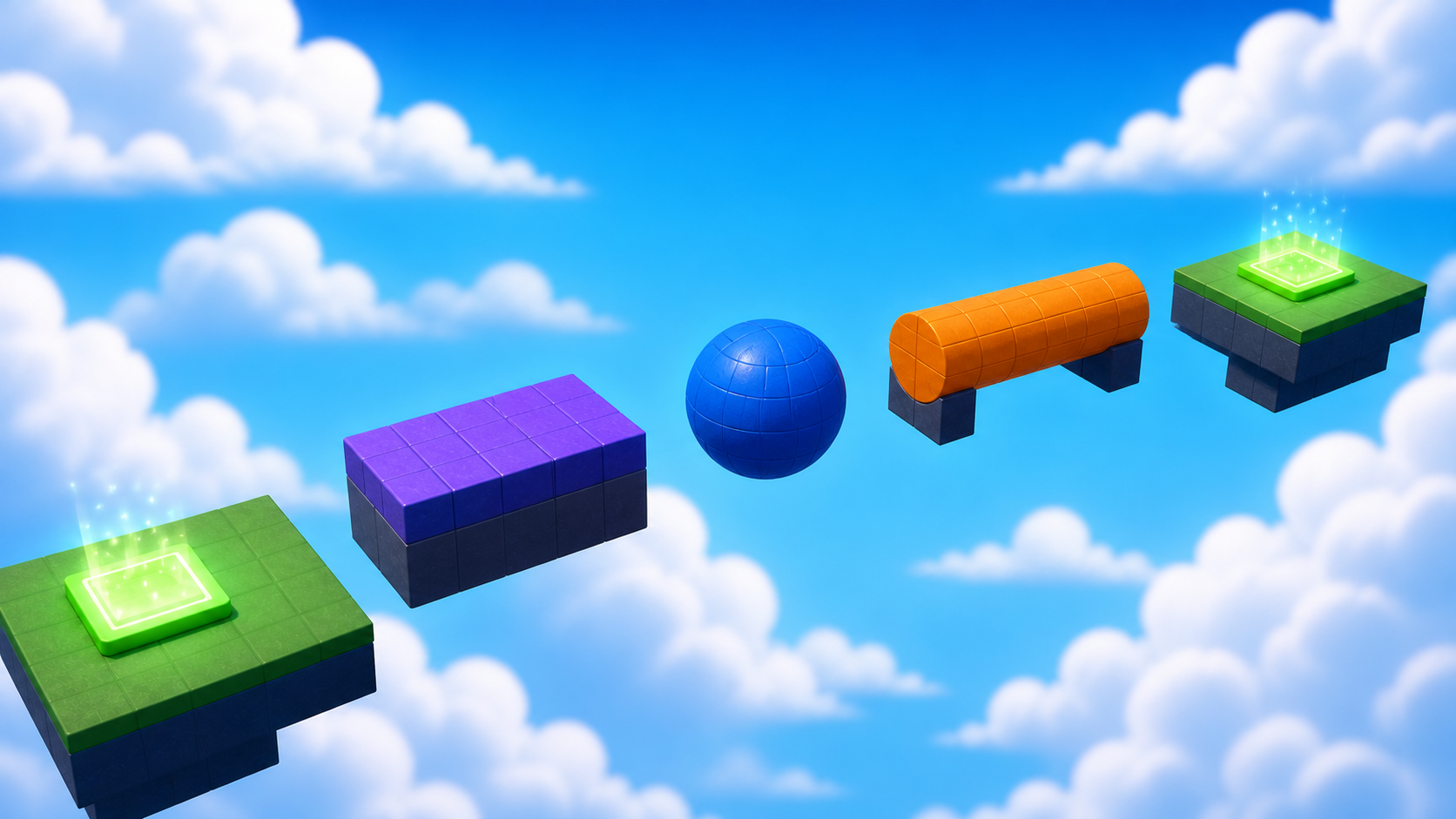
Your first climb works — players rise, touch Checkpoint_02, and your game remembers them. Keep that Studio file open. Ahead, the path itself starts changing shape: a ball, a cylinder — and suddenly the same jump asks a different question.
Narration transcript
- Stage One built your first climb and saved it at Checkpoint zero two. Keep that tested checkpoint open. Stage Two begins there.
- Build a path from three different shapes, learn how property values act like inputs, and ship a challenge you tuned yourself until it feels fair.
- Spoken bridge: Mission ready. First, understand the idea that makes this stage work.
a path made from three different shapes
how property values act like inputs
a challenge you tuned until it feels fair
Idea
Narration transcript
- Shape, Size, and Position are inputs. A block gives a flat landing. A ball asks you to aim for its very top. A cylinder makes a lane. Change one input at a time, playtest, and keep what feels better. That loop — change, test, decide — is game design.
- Spoken bridge: Now pick your Build Mode on the page and start building — pause after every Studio action.
A game designer changes inputs and watches the result. Shape, Size, and Position are inputs. A block has a flat landing surface; a sphere asks the player to aim for its very top; a cylinder can become a balance lane.
Change one input at a time, playtest, and keep what feels better. That loop — change, test, decide — is game design, and it stays with you for the rest of this course.
Build
Pick your Build Mode, then follow the three build steps below your track. Any fair path counts — the designer check at the end proves yours works.
Every builder plays this stage in their own mode. Which sounds like you?
Not sure? Start with Guided — you can level up on any stage, and your pick follows you through the whole course.
Names that must match
Build inside Workspace → Course → Stage02, from Checkpoint_02 to Checkpoint_03. No scripts yet — these names keep your Explorer readable, and future stages will find your pieces by name. Everything else about each object is your call.
Shape_1A block platform — flat landing surface.Must have: Anchored trueShape_2A ball platform — players aim near its top.Must have: Anchored trueShape_3A cylinder platform — a curved landing lane.Must have: Anchored trueLanding_03The landing that ends the stage — Checkpoint_03 stands here.Must have: Anchored true
Reference buildStuck, or just want to copy ours? Here is exactly how we built this stage.
These values always work together. Copy them as-is, or borrow a few and keep the rest of the stage yours.
Build this partShape_1
Part · BlockOpen recipe
Shape_1
Part · Block- Size
- 6 × 6 × 6
- Anchored
- ✓ Yes
- Orientation
- 0 × 0 × 0
- CanCollide
- ✓ Yes
- Place
- Position [0, 1, 64] inside Workspace → Course → Stage02
Build this partShape_2
Part · BallOpen recipe
Shape_2
Part · Ball- Size
- 6 × 6 × 6
- Anchored
- ✓ Yes
- Orientation
- 0 × 0 × 0
- CanCollide
- ✓ Yes
- Place
- Position [0, 1, 74] inside Workspace → Course → Stage02
Build this partShape_3
Part · CylinderOpen recipe
Shape_3
Part · Cylinder- Size
- 6 × 6 × 6
- Anchored
- ✓ Yes
- Orientation
- 0 × 0 × 0
- CanCollide
- ✓ Yes
- Place
- Position [0, 1, 84] inside Workspace → Course → Stage02
Build this partLanding_03
Part · BlockOpen recipe
Landing_03
Part · Block- Size
- 12 × 1 × 12
- Anchored
- ✓ Yes
- Orientation
- 0 × 0 × 0
- CanCollide
- ✓ Yes
- Place
- Position [0, 3.5, 97] inside Workspace → Course → Stage02
Narration transcript
- In Explorer, insert a Folder named Stage zero two inside Workspace, Course. Then, starting from your Checkpoint zero two, build a straight baseline of three block platforms named Shape one, Shape two, and Shape three inside it. Your track is the map: follow its spacing, or pick your own gaps and playtest them. Fair means you clear each jump on most tries.
- Spoken bridge: First piece placed and tested. Keep going.
A — Baseline. In Explorer, insert a Folder named Stage02 inside Workspace → Course. Then, starting from your Checkpoint_02, build a straight baseline of three block platforms named Shape_1, Shape_2, Shape_3 inside it. Your track is the map: follow its spacing, or pick your own gaps and playtest them. Cross all three in Play mode before moving on.
Narration transcript
- Now change one input: set Shape two to a Ball and Shape three to a Cylinder. Change nothing else yet. Playtest and notice what shape alone did to each jump.
- Spoken bridge: That change passed its playtest. One step left.
B — Shape-shift. Change one input: set Shape_2's Shape to Ball and Shape_3's to Cylinder (Orientation [0, 0, 0] keeps the round faces along X). Change nothing else yet. Playtest and notice what shape alone did to each jump.
Narration transcript
- Tune one input at a time — a Size, a gap, an Orientation — and keep every change that makes the route fairer. Then add Landing zero three, complete the Checkpoint zero three recipe, touch it, and reset.
- Spoken bridge: The next checkpoint saved. One designer check before you style it: does your stage pass?
C — Tune and finish. Tune one input at a time — a Size, a gap, an Orientation — and keep every change that makes the route fairer. Then add an anchored Landing_03 at the end of your path (reference: [12, 1, 12]), complete the checkpoint recipe, touch it, and reset.
Checkpoint recipeSave progress at Stage 3
Using the voice guide? It reads one recipe step, waits while you work, then continues when you choose Done — hear next step.
- Insert one SpawnLocation in Workspace and rename it
Checkpoint_03. Set Size to about[6, 1, 6]and Anchored totrue. Centered on the landing that ends Stage 2, with its top just above the landing surface. (Our reference build puts it at Position[0, 4.5, 97].) - Set Neutral to
false, Enabled totrue, and AllowTeamChangeOnTouch totrue. - Set the SpawnLocation TeamColor to
Bright yellow. Set its visual BrickColor to the same named color. TeamColor controls respawning; BrickColor only controls what the pad looks like. - Point at Teams in Explorer, select its +, and insert one Team named
Stage 3. Set its TeamColor toBright yellowand AutoAssignable tofalse. Never reuse this TeamColor on another checkpoint. - Press Play. Climb to and touch
Checkpoint_03, then reset your character and confirm you respawn there. Press Stop before editing again.
Workspace → Checkpoint_03Teams → Stage 3 (Bright yellow)Does It Pass?
Narration transcript
- Time for the designer check. Play your path and walk the pass list: three different shapes, every jump makeable with a normal jump, nothing rolling or falling, and at least one value that is yours because a playtest told you so. A rule that fails is just the next thing to tune.
- Spoken bridge: Your stage passes — it is a real level now. Time to make it feel like your game.
Does your stage pass?
Play your stage and check each one. A rule that fails isn't a mistake — it's just the next thing to tune.
- Your path asks three different questions — a block, a ball, and a cylinder, each jump needing different aim.Check: Look at the stage: three different silhouettes.
- Every shape can be landed on, and every jump can be made — no luck needed.Check: Cross all three shapes cleanly three times.Tip: Gaps of 3–5 studs between edges feel fair.
- Nothing rolls, falls, or drifts — every shape stays exactly where you put it.Check: Press Play — all three shapes stay put.Tip: That's Anchored on and CanCollide on, for every shape.
- At least one value in this stage is yours — changed because a playtest told you to.Check: Say out loud what you changed and why the stage feels better.
Make It Yours
Narration transcript
- Your three shapes are props in the world you picked in Setup. Decide what they are there — gumdrops, asteroids, floating gravestones — and give them colors and materials that say it.
- Spoken bridge: That is your stamp on the stage. Now explain what made it work.
Your three shapes are props in your world. In a candy canyon they're gumdrops; in space they're asteroids; in a haunted manor, floating gravestones. Decide what they are in your game, and give them colors and materials that say it — a player should guess your world just by looking.
Help Ladder
Stuck? Choose what went wrong
Pick the problem that matches. Open one clue, try it, then return only if you still need help.
My parts overlap or miss the next checkpoint
Clue 1: small hint
Narration transcript
- Stop Play mode and check one part against the stage rules before touching anything else.
Clue 2: where to look
Narration transcript
- Check Workspace, Course, Stage zero 2, and keep both checkpoints directly inside Workspace.
Workspace → Course → Stage02. Find Checkpoint_02 and Checkpoint_03 directly inside Workspace.Clue 3: worked answer
Narration transcript
- Walk your stage rules top to bottom and fix the first rule that fails. If you want a layout that always works, open the reference build and copy its values.
Checkpoint_02.I can't find Shape or Orientation in Properties
Clue 1: small hint
Clue 2: where to look
Clue 3: worked answer
Shape_2, search Shape in Properties, and choose Ball from the dropdown. Do the same for Shape_3 with Cylinder, then set its Orientation to [0, 0, 0].a shape rolls or falls
Clue 1: small hint
Narration transcript
- A moving or falling shape probably is not anchored.
Clue 2: where to look
Narration transcript
- Select each Shape part and check Anchored and CanCollide in Properties.
Clue 3: worked answer
Narration transcript
- Set Anchored and CanCollide to true on Shape one, Shape two, and Shape three, then playtest the full path again from Checkpoint zero two.
Learn What Happened
Narration transcript
- Properties are stored information that Roblox uses as inputs. You changed one input at a time, so every playtest told you exactly which choice changed the difficulty — and the values you kept are yours, chosen with evidence.
- Spoken bridge: Use one small prediction to transfer that idea.
Properties are stored information that Roblox uses as inputs. Because you changed one input at a time, every playtest told you exactly which choice changed the difficulty. The values in your stage right now aren't ours — they're yours, chosen with evidence. That's what tuning means.
Try This
Narration transcript
- Predict which is harder at the same size, a block or a ball. Compare your prediction with one playtest and connect the result to a property.
- Spoken bridge: Finish with four proof checks. Each check must match something you can observe or explain.
Try this
Three short thinking checks. Use evidence from the stage you just built.
Prove It
Narration transcript
- Spoken bridge: Final proof. Confirm one result at a time.
- Your path uses a block, a ball, and a cylinder, and every jump between them is fair.
- You changed one input at a time, kept the tuning you like, and finished three clean runs.
- Checkpoint_03 saves progress and reset returns you there.
- You can explain how one property changed the difficulty.
Narration transcript
- Stage Two complete. You tuned your own challenge with evidence and earned one hundred XP. Stage Three hands your players a real decision: two routes to the same goal.