Stage 8: Spinning KillBricks + loot drops
Finish Stage 7. An enemy chases, attacks, and respawns. Today, defeating it finally pays off — it drops loot.
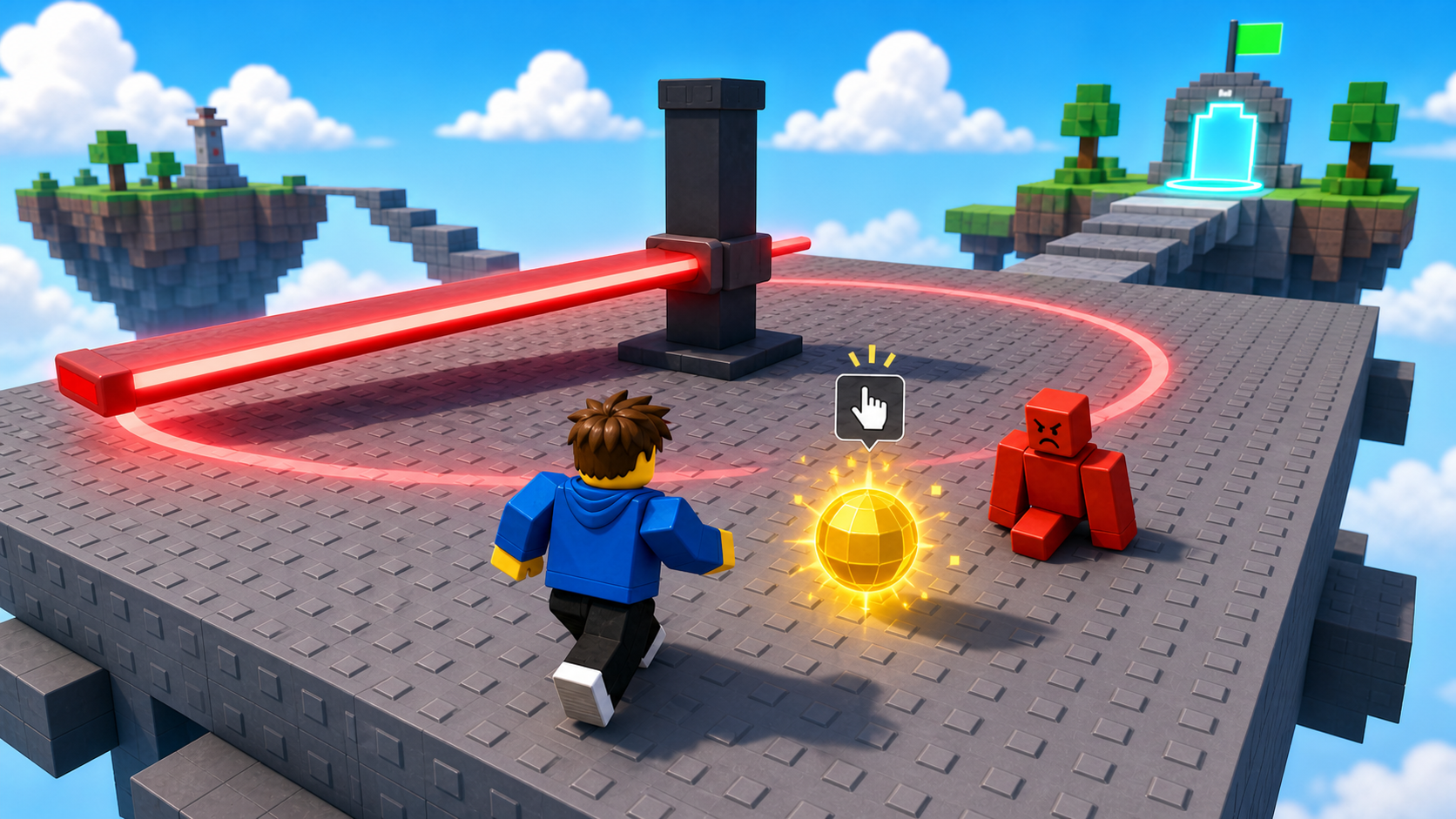
a spinning sweeper, the Stage 9 checkpoint, and loot that drops when an enemy is defeated
how a BindableEvent lets one server script call another, and how a ProximityPrompt turns a dropped orb into a reward
a glowing loot orb that drops where an enemy fell, grants XP and a loot count when collected, and ties combat back to your RPG
90-second demo:
- Press Play. Defeat the enemy. Where it fell, a glowing loot orb appears.
- Walk up to the orb — a "Collect Loot" prompt shows. Press E. The orb vanishes, your XP jumps, and a Loot count in the top-right ticks up.
- Collect enough XP and you level up from the loot alone.
- Explain: "Until now, defeating an enemy gave you nothing. Loot closes the loop — fight, win, get rewarded, grow stronger. That's the whole reason RPGs are addictive."
The big idea
You've built combat (sword, fireball, enemies) and an RPG (XP, levels) — but they've been separate. Defeating the Stage 7 enemy gave you no XP. Today you connect them: a defeated enemy drops loot, and collecting it grants XP and adds to a loot count. Fight → win → reward → grow. That loop is the engine of every game you're copying.
This raises a real problem you haven't hit yet: the enemy's death happens in EnemyAI, but the XP system lives in CombatStats — two different scripts. They need to talk. The tool for one server script to call another is a BindableEvent — it's like the RemoteEvent from Stage 4, but server-to-server instead of client-to-server. The loot fires "give this player XP," and CombatStats listens and does it.
The orb itself uses a ProximityPrompt — the floating "press E" button you see in every modern Roblox game. Walk near, press the key, collect.
- BindableEvent
- a mailbox between two scripts on the same side (server-to-server); Fire sends, Event receives
- ProximityPrompt
- a floating prompt that appears near a part and runs code when the player holds a key
- Triggered
- the ProximityPrompt event that fires when a player completes the prompt; it hands you the player
- loot
- a reward dropped by a defeated enemy; here it grants XP and adds to a loot count
- drop
- spawning a reward object in the world at the spot where an enemy fell
Build it
Step 1 — Build the spinning sweeper
A central post with a long arm that spins, sweeping players off the path. This is the obby hazard; loot is the combat layer.
Build this partSpinPath
BlockOpen recipe
SpinPath
Block- Size
- 14 × 1 × 14
- Color
- Dark stone grey
- Material
- Concrete
- Anchored
- ✓ Yes
- Place
- A square platform forward from the Stage 8 lime pad
Build this partSweepArm
BlockOpen recipe
SweepArm
Block- Size
- 12 × 2 × 1
- Color
- Really red
- Material
- Neon
- Anchored
- ✓ Yes
- Place
- Centered just above SpinPath, lying flat like a clock hand
Centered on the platform — it spins around its own middle to sweep the whole square.
Right-click SweepArm → Insert Object → Script. Name it Spin:
local arm = script.Parent
local RunService = game:GetService("RunService")

RunService.Heartbeat:Connect(function(deltaTime)
  arm.CFrame = arm.CFrame * CFrame.Angles(0, math.rad(120) * deltaTime, 0)
end)
Press Play. The arm sweeps in a circle — time your crossing to slip past it.
Step 2 — Wire the Stage 9 checkpoint
Build this partSpawnLocation (Stage 9 — past the sweeper)
BlockOpen recipe
SpawnLocation (Stage 9 — past the sweeper)
Block- Size
- 6 × 1 × 6
- Color
- Cyan
- Material
- Plastic
- Anchored
- ✓ Yes
- Place
- On the far edge of SpinPath
Add StageNumber = 9. Check AllowTeamChangeOnTouch. Uncheck Neutral. Set TeamColor to Cyan.
Same gesture: StageNumber = 9 attribute and a Stage 9 Team (Cyan, AutoAssignable unchecked).
Step 3 — Drop and collect loot
Three passes: open a channel to the XP system, drop an orb on death, then make the orb pay out.
Pass 1 — Let the loot reach the XP system
First, a server-to-server mailbox. In Explorer, right-click ServerStorage → Insert Object → BindableEvent. Rename it GrantXP.
Now open CombatStats. Add a Loot value to the leaderstats (next to Level and XP), and make the script listen on GrantXP. Inside PlayerAdded, after the XP block, add:
  local loot = Instance.new("IntValue")
  loot.Name = "Loot"
  loot.Value = 0
  loot.Parent = stats
Then, at the very bottom of CombatStats, listen for grant requests:
local ServerStorage = game:GetService("ServerStorage")
local grantXP = ServerStorage:WaitForChild("GrantXP")

grantXP.Event:Connect(function(player, amount)
  addXP(player, amount)
end)
Press Play. The top-right now shows Level, XP, and Loot 0. Nothing fires GrantXP yet — that's the orb's job. Stop.
Pass 2 — Drop an orb where the enemy falls
Open EnemyAI. At the top, near the other services, add:
local ServerStorage = game:GetService("ServerStorage")
local grantXP = ServerStorage:WaitForChild("GrantXP")
local Debris = game:GetService("Debris")
Then write a dropLoot function above spawnEnemy:
local function dropLoot(position)
  local orb = Instance.new("Part")
  orb.Shape = Enum.PartType.Ball
  orb.Size = Vector3.new(1.6, 1.6, 1.6)
  orb.Color = Color3.fromRGB(255, 222, 89)
  orb.Material = Enum.Material.Neon
  orb.Anchored = true
  orb.CanCollide = false
  orb.Position = position + Vector3.new(0, 2, 0)
  orb.Parent = workspace

  local prompt = Instance.new("ProximityPrompt")
  prompt.ActionText = "Collect Loot"
  prompt.HoldDuration = 0
  prompt.Parent = orb

  prompt.Triggered:Connect(function(player)
    print(player.Name, "collected loot")
    orb:Destroy()
  end)

  Debris:AddItem(orb, 30)
end
Finally, call it from the enemy's death. In the Died handler inside runEnemy, add dropLoot(root.Position) before the enemy is destroyed:
  humanoid.Died:Connect(function()
    dropLoot(root.Position)
    task.wait(3)
    enemy:Destroy()
    spawnEnemy()
  end)
Press Play. Defeat the enemy — a glowing gold orb drops where it fell. Walk up: a "Collect Loot" prompt appears. Press E and Output prints that you collected it. No reward yet. Stop.
Pass 3 — Pay out the reward
In dropLoot, replace the Triggered handler with the real payout:
  prompt.Triggered:Connect(function(player)
    grantXP:Fire(player, 50)

    local stats = player:FindFirstChild("leaderstats")
    local loot = stats and stats:FindFirstChild("Loot")
    if loot then
      loot.Value = loot.Value + 1
    end

    orb:Destroy()
  end)
Press Play. Defeat the enemy, collect the orb. Your XP jumps by 50 (through the GrantXP mailbox into addXP), and your Loot count ticks up by 1. Defeat a few enemies and the loot alone levels you up.
Understand it
The BindableEvent solves the "two scripts, one job" problem. EnemyAI knows when loot is collected; CombatStats knows how to grant XP and level a player up. Instead of copying the leveling logic into EnemyAI (now it lives in two places and can drift), the loot just fires GrantXP and lets the one true XP system handle it. This is the same instinct as the RemoteEvent — keep each job in one place and message between them — but server-to-server.
The ProximityPrompt is collection done right. You could use a Touched event, but then loot would vanish the instant you brushed it, even mid-fight. A prompt asks for a deliberate "press E," so players collect on purpose. It also gives you the player for free in Triggered — no GetPlayerFromCharacter needed.
Dropping at root.Position is what ties the reward to the place the enemy died, not some fixed spot. The orb appears where the fight ended, so the reward feels earned by that specific kill.
And notice the loop is finally closed. Sword and fireball lower an enemy's health → the health bar shows it → Died drops loot → the prompt grants XP → addXP levels you up → a higher level makes the next fight winnable. Every system you built across eight stages now feeds the next.
From a defeated enemy to XP in the bank
The enemy's death drops a prompt-collectable orb; collecting it messages the XP system through a BindableEvent and bumps the loot count.
local function dropLoot(position)
local orb = Instance.new("Part")
orb.Shape = Enum.PartType.Ball
orb.Material = Enum.Material.Neon
orb.Color = Color3.fromRGB(255, 222, 89)
orb.Anchored = true
orb.CanCollide = false
orb.Position = position + Vector3.new(0, 2, 0)
orb.Parent = workspace

local prompt = Instance.new("ProximityPrompt")
prompt.ActionText = "Collect Loot"
prompt.Parent = orb

prompt.Triggered:Connect(function(player)
  grantXP:Fire(player, 50)
  local stats = player:FindFirstChild("leaderstats")
  local loot = stats and stats:FindFirstChild("Loot")
  if loot then
    loot.Value = loot.Value + 1
  end
  orb:Destroy()
end)

game:GetService("Debris"):AddItem(orb, 30)
end
Lines 1–9Build the orb at the death spot.
A glowing, anchored, no-collision ball lifted 2 studs off the ground where the enemy fell. It's a reward marker, not a hazard.
Lines 11–13Add the press-E prompt.
A ProximityPrompt parented to the orb shows a 'Collect Loot' button when a player is near. Deliberate collection, not accidental.
Lines 15–22Pay out on collect.
Triggered hands you the player. Fire GrantXP so CombatStats grants and levels them, bump their Loot count, and remove the orb.
Line 24Clean up ignored loot.
An uncollected orb deletes itself after 30 seconds so the field doesn't fill with old loot.
Try this
Try this
Three short experiments. Predict before you run, then test your guess.
Predict what happens if the orb used a Touched event instead of a ProximityPrompt. How might that go wrong while you're fighting near the orb? Why is "press E" safer here?
Change the loot's XP from 50 to 200. Press Play and defeat a couple of enemies. Compare how fast you level. Where's the line between "rewarding" and "trivially easy"?
Right now every enemy drops the same orb. In a real game, tougher enemies drop rarer loot. The Stretch challenge adds a rare drop — but first: what would you check to decide whether this kill drops something special?
Test your stage
- Press ▶ Play. Time your crossing past the spinning SweepArm; reach the cyan pad.
- Defeat the enemy — a gold loot orb drops where it fell.
- Walk up to the orb; a "Collect Loot" prompt appears.
- Press E — the orb vanishes, your XP jumps by 50, and Loot ticks up by 1.
- Collect enough loot to trigger a level-up.
- Design check. Does the orb feel like a reward worth chasing? If it's hard to see or the XP is too small, the kill feels empty. Tune the glow and the payout until winning feels good.
If it breaks
GrantXP is not a valid member of ServerStorage. The BindableEvent must be in ServerStorage and named exactlyGrantXP. BothCombatStatsandEnemyAIlook it up by that name.- The orb drops but the prompt never shows. ProximityPrompts appear when you're close and facing the orb. Make sure the orb isn't buried in the floor — it spawns 2 studs up.
- Collecting prints but grants no XP.
GrantXP.Eventisn't connected inCombatStats(Pass 1), or you're firing the wrong event name. Confirm the listener is at the bottom ofCombatStats. attempt to index nil with 'Loot'. The Loot IntValue wasn't added inPlayerAdded. Re-check Pass 1 — it goes next to Level and XP.- No orb on death.
dropLoot(root.Position)isn't in theDiedhandler, or it runs afterenemy:Destroy()(sorootis already gone). Drop the loot first.
The headline concept is "scripts talking to scripts." Tie it back to Stage 4: a RemoteEvent crosses client→server; a BindableEvent crosses script→script on the server. Same mailbox idea, different rooms.
- This is the "everything connects" stage. Take a minute to trace the full loop out loud with campers: damage → health bar → Died → loot → prompt → GrantXP → addXP → level up.
- Editing two existing scripts (CombatStats and EnemyAI) trips up campers who lost track of which file they're in. Say the file name before each paste.
- Total time: 60 minutes. Spinner 10, checkpoint 5, three-pass loot 40 (it touches three files).