Stage 7: Rolling Rocks + enemy AI
Finish Stage 6. Every fighter has a health bar. Today's enemy will get one automatically — that's the DescendantAdded line you wrote paying off.
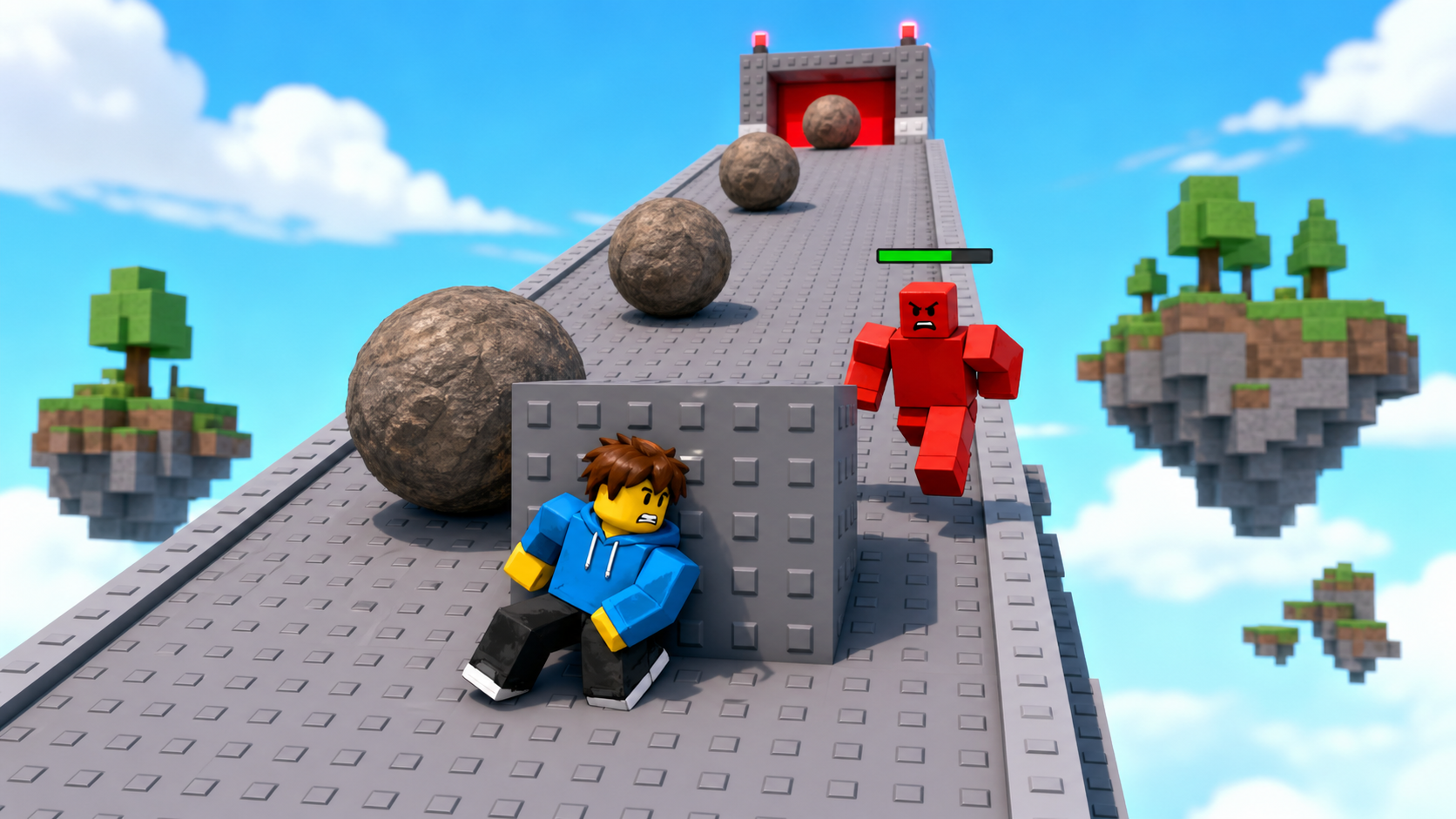
a rolling-rocks ramp with cover, the Stage 8 checkpoint, and an enemy that hunts the player
how an enemy detects the nearest player by distance, walks to them with MoveTo, attacks in range, and respawns when defeated
a roaming enemy that chases you, hits you up close, dies to your sword and fireball, and comes back
90-second demo:
- Press Play. An enemy stands near the ramp. Walk toward it — once you're close enough, it turns and chases you.
- Let it reach you: it hits you and your health bar drops. Back off past its detection range and it loses interest.
- Fight back with sword and fireball. When its health hits zero it falls — then a few seconds later a fresh one spawns.
- Explain: "A turret just sat there. This enemy makes decisions: who's nearest, am I close enough to hit, am I still alive. That's the start of AI."
The big idea
The turret in Stage 5 was a statue that fired on a timer. A real enemy moves and decides. Today you build one that runs a tiny decision loop, over and over: find the nearest player in range → walk toward them → if I'm close enough, attack → if I die, come back.
The enemy is a character rig with its own Humanoid, just like your dummy — but unanchored, so it can walk. To make it walk somewhere, you call Humanoid:MoveTo(position); the Humanoid figures out the steps. "Nearest player in range" reuses the exact Magnitude distance idea from the turret. "Close enough to attack" is another distance check. And "come back when defeated" uses the Humanoid's Died event to clone a fresh enemy at the original spot.
Because of the work you did in Stage 6, this enemy gets a health bar the moment it spawns — you don't write a single line of UI today.
- MoveTo
- a Humanoid method that walks the character toward a position; the engine handles the steps
- detection range
- how close a player must be before the enemy notices and reacts
- attack range
- how close the enemy must be to land a hit
- Died
- a Humanoid event that fires once when its Health reaches 0 — the trigger to respawn
- Clone
- makes a fresh copy of an object; we keep a template enemy and clone it to respawn
- task.spawn
- runs a loop alongside the rest of the script so one enemy's loop doesn't block others
Build it
Step 1 — Build the rolling-rocks ramp
A ramp with boulders rolling down it and a block to hide behind. This is the obby hazard; the enemy is the combat layer.
Build this partRockRamp
BlockOpen recipe
RockRamp
Block- Size
- 16 × 1 × 30
- Color
- Dark stone grey
- Material
- Slate
- Anchored
- ✓ Yes
- Place
- Sloping down from the Stage 7 orange pad — rotate it so it tilts
Tilt it about 20° so boulders roll down on their own.
Build this partCoverBlock
BlockOpen recipe
CoverBlock
Block- Size
- 6 × 5 × 1
- Color
- Brown
- Material
- Wood
- Anchored
- ✓ Yes
- Place
- Partway down RockRamp, to one side — somewhere to duck behind
Build this partBoulderSpawner
BlockOpen recipe
BoulderSpawner
Block- Size
- 2 × 1 × 2
- Color
- Bright red
- Material
- Neon
- Anchored
- ✓ Yes
- Place
- At the TOP of RockRamp
Boulders spawn here and roll down. Make it small and out of the way.
Right-click BoulderSpawner → Insert Object → Script. Name it Boulders:
local spawner = script.Parent
local Debris = game:GetService("Debris")

while true do
  task.wait(2.5)
  local rock = Instance.new("Part")
  rock.Shape = Enum.PartType.Ball
  rock.Size = Vector3.new(6, 6, 6)
  rock.Color = Color3.fromRGB(90, 80, 70)
  rock.Material = Enum.Material.Slate
  rock.Position = spawner.Position + Vector3.new(0, 3, 0)
  rock.Parent = workspace
  Debris:AddItem(rock, 8)
end
Press Play. Boulders roll down the ramp; duck behind CoverBlock to dodge them as you climb.
Step 2 — Wire the Stage 8 checkpoint
Build this partSpawnLocation (Stage 8 — top of the ramp)
BlockOpen recipe
SpawnLocation (Stage 8 — top of the ramp)
Block- Size
- 6 × 1 × 6
- Color
- Lime green
- Material
- Plastic
- Anchored
- ✓ Yes
- Place
- At the top of RockRamp
Add StageNumber = 8. Check AllowTeamChangeOnTouch. Uncheck Neutral. Set TeamColor to Lime green.
Same gesture: StageNumber = 8 attribute and a Stage 8 Team (Lime green, AutoAssignable unchecked).
Step 3 — Build the enemy
Use Rig Builder again, like the dummy — but this one will walk.
- Avatar tab → Rig Builder → Block Rig → Insert.
- Rename the rig Enemy.
- Drag it near the bottom of the ramp.
- Leave it unanchored this time (an anchored enemy can't walk). If Rig Builder anchored the HumanoidRootPart, uncheck it.
- Optional: tint its parts red so it reads as hostile.
Step 4 — Give the enemy a brain
In ServerScriptService, insert a Script named EnemyAI. Build it in three passes.
Pass 1 — Chase the nearest player
local Players = game:GetService("Players")
local enemy = workspace:WaitForChild("Enemy")
local humanoid = enemy:WaitForChild("Humanoid")
local root = enemy:WaitForChild("HumanoidRootPart")

local DETECT_RANGE = 60

local function nearestPlayerChar()
  local closest, closestDist = nil, DETECT_RANGE
  for _, player in ipairs(Players:GetPlayers()) do
    local character = player.Character
    local theirRoot = character and character:FindFirstChild("HumanoidRootPart")
    local theirHum = character and character:FindFirstChildOfClass("Humanoid")
    if theirRoot and theirHum and theirHum.Health > 0 then
      local dist = (theirRoot.Position - root.Position).Magnitude
      if dist < closestDist then
        closest = character
        closestDist = dist
      end
    end
  end
  return closest
end

while humanoid.Health > 0 do
  task.wait(0.3)
  local target = nearestPlayerChar()
  if target then
    humanoid:MoveTo(target.HumanoidRootPart.Position)
  end
end
Press Play. Walk within 60 studs of the enemy — it chases you. Run far away and it stops (no one in range). It can't hurt you yet. Stop.
Pass 2 — Attack when close
Add an attack range, a damage amount, and an attack cooldown. Replace the while loop with:
local ATTACK_RANGE = 6
local ATTACK_DAMAGE = 15
local lastAttack = 0

while humanoid.Health > 0 do
  task.wait(0.3)
  local target = nearestPlayerChar()
  if target then
    local targetRoot = target.HumanoidRootPart
    humanoid:MoveTo(targetRoot.Position)

    local dist = (targetRoot.Position - root.Position).Magnitude
    if dist <= ATTACK_RANGE then
      local now = os.clock()
      if now - lastAttack >= 1 then
        lastAttack = now
        local targetHumanoid = target:FindFirstChildOfClass("Humanoid")
        if targetHumanoid then
          targetHumanoid:TakeDamage(ATTACK_DAMAGE)
        end
      end
    end
  end
end
Press Play. Let the enemy reach you — it hits you for 15 about once a second, and your health bar drops. Fight back with sword and fireball; its bar drops too. Knock it to zero and it falls over. Stop.
Pass 3 — Respawn when defeated
A single enemy that stays dead is a weak stage. Wrap everything in functions so a fresh enemy can take over when one dies. Replace the whole script with this structure:
local Players = game:GetService("Players")
local ServerStorage = game:GetService("ServerStorage")

local DETECT_RANGE = 60
local ATTACK_RANGE = 6
local ATTACK_DAMAGE = 15

-- Stash the original as a template, remember where it stood.
local template = workspace:WaitForChild("Enemy")
local spawnPivot = template:GetPivot()
template.Parent = ServerStorage

local runEnemy, spawnEnemy

function runEnemy(enemy)
  local humanoid = enemy:WaitForChild("Humanoid")
  local root = enemy:WaitForChild("HumanoidRootPart")
  local lastAttack = 0

  local function nearestPlayerChar()
    local closest, closestDist = nil, DETECT_RANGE
    for _, player in ipairs(Players:GetPlayers()) do
      local character = player.Character
      local theirRoot = character and character:FindFirstChild("HumanoidRootPart")
      local theirHum = character and character:FindFirstChildOfClass("Humanoid")
      if theirRoot and theirHum and theirHum.Health > 0 then
        local dist = (theirRoot.Position - root.Position).Magnitude
        if dist < closestDist then
          closest, closestDist = character, dist
        end
      end
    end
    return closest
  end

  task.spawn(function()
    while humanoid.Health > 0 do
      task.wait(0.3)
      local target = nearestPlayerChar()
      if target then
        local targetRoot = target.HumanoidRootPart
        humanoid:MoveTo(targetRoot.Position)
        if (targetRoot.Position - root.Position).Magnitude <= ATTACK_RANGE then
          local now = os.clock()
          if now - lastAttack >= 1 then
            lastAttack = now
            local targetHumanoid = target:FindFirstChildOfClass("Humanoid")
            if targetHumanoid then
              targetHumanoid:TakeDamage(ATTACK_DAMAGE)
            end
          end
        end
      end
    end
  end)

  humanoid.Died:Connect(function()
    task.wait(3)
    enemy:Destroy()
    spawnEnemy()
  end)
end

function spawnEnemy()
  local enemy = template:Clone()
  enemy:PivotTo(spawnPivot)
  enemy.Parent = workspace
  runEnemy(enemy)
end

spawnEnemy()
Press Play. The enemy chases and attacks. Defeat it, wait three seconds, and a fresh one appears at the original spot with a full health bar — ready to fight again.
Understand it
The enemy runs a decision loop, and that's all "AI" means at this level: a loop that senses the world and picks an action. Every 0.3 seconds it asks the same questions — who's nearest and in range? am I close enough to hit? am I still alive? — and acts on the answers. Slower than every frame (so it's cheap), fast enough to feel alive.
MoveTo does the hard part. You don't tell the enemy how to walk — you tell it where, and the Humanoid handles turning and stepping. Calling it every loop, aimed at the player's current position, is what makes the enemy track you as you move.
Range checks shape the personality. A big DETECT_RANGE makes a hawk that notices you from far; a small one makes a sleepy guard you can sneak past. ATTACK_RANGE decides how close is "in your face." Tuning these two numbers is most of what makes an enemy feel fair or brutal.
Respawn needs a clean template, not a revived corpse. When a Humanoid dies, its joints break and it ragdolls — you can't just refill its health. So you stash the original in ServerStorage at the start, and every respawn Clones a fresh, intact copy and PivotTos it back to the saved spot. task.spawn runs each enemy's loop independently, so this scales to many enemies — which is exactly what Stage 9's wave needs.
The enemy's sense-and-act loop
Every third of a second the enemy finds the nearest player in range, walks to them, and attacks if close — and when it dies, it schedules a fresh clone.
function runEnemy(enemy)
local humanoid = enemy:WaitForChild("Humanoid")
local root = enemy:WaitForChild("HumanoidRootPart")
local lastAttack = 0

task.spawn(function()
  while humanoid.Health > 0 do
    task.wait(0.3)
    local target = nearestPlayerChar()
    if target then
      local targetRoot = target.HumanoidRootPart
      humanoid:MoveTo(targetRoot.Position)
      if (targetRoot.Position - root.Position).Magnitude <= ATTACK_RANGE then
        local now = os.clock()
        if now - lastAttack >= 1 then
          lastAttack = now
          local targetHumanoid = target:FindFirstChildOfClass("Humanoid")
          if targetHumanoid then
            targetHumanoid:TakeDamage(ATTACK_DAMAGE)
          end
        end
      end
    end
  end
end)

humanoid.Died:Connect(function()
  task.wait(3)
  enemy:Destroy()
  spawnEnemy()
end)
end
Lines 6–7Loop while alive.
task.spawn runs this loop on its own so many enemies can think at once. It runs every 0.3s until the enemy's health hits 0.
Lines 9–11Sense, then move.
Find the nearest player in range and MoveTo their current position. Calling it every loop is what makes the chase track a moving target.
Lines 12–18Attack if close, on a cooldown.
A distance check decides 'in range,' and an os.clock cooldown limits hits to once a second — the same cooldown idea as your fireball.
Lines 22–26Respawn from a template.
Died fires once at 0 health. After 3 seconds, destroy the corpse and call spawnEnemy, which clones a fresh enemy back at the saved spot.
Try this
Try this
Three short experiments. Predict before you run, then test your guess.
Predict what happens if you set DETECT_RANGE to 5. Then try it. Can you still get the enemy to chase you? What kind of enemy does a tiny detection range create?
Set the enemy's Humanoid.WalkSpeed (in Properties) to 8, play, then try 24. Compare how each feels to fight. A fast enemy you can't outrun changes your whole strategy — which speed is fair against your tools?
Defeating the enemy currently gives you nothing. In Stage 8 you'll make a defeated enemy drop loot and grant XP. Inside which part of this script would the "the enemy just died" code go?
Test your stage
- Press ▶ Play. Climb the ramp, dodging boulders behind CoverBlock; reach the lime pad.
- Walk within range of the enemy — it chases you.
- Let it reach you — it hits you for 15 about once a second and your health bar drops.
- Run far away — it stops chasing (out of detection range).
- Defeat it with sword and fireball; after a few seconds a fresh enemy spawns with a full bar.
- Design check. Is the fight winnable but tense? Tune
DETECT_RANGE,WalkSpeed, andATTACK_DAMAGEtogether until beating the enemy feels earned.
If it breaks
- The enemy doesn't move. It's anchored. Uncheck Anchored on the enemy's HumanoidRootPart (and any other anchored parts). A walking Humanoid can't be anchored.
Enemy is not a valid member of Workspace. The rig must be named exactlyEnemy, and it must exist in Workspace when the game starts (before it's moved to ServerStorage by the script).- The enemy chases but never hits. Your
ATTACK_RANGEis too small, or the attack cooldown line has a typo. Print the distance to check what "close" actually measures. - No new enemy after death. Confirm
spawnEnemyis declared with the forwardlocal runEnemy, spawnEnemyline above both functions, so each can call the other. - The respawned enemy has no health bar. That's the Stage 6
DescendantAddedlistener's job. Make sure yourHealthBarsscript is still in ServerScriptService.
This is the most code-heavy stage. The win is conceptual: "AI is a loop that senses and acts." Say it before the code, and point to each question the loop asks.
- Pass 3 is a big rewrite. Have campers read the whole structure first — note that the Pass 1/2 logic is unchanged, just wrapped in
runEnemyso it can be cloned. - The forward declaration
local runEnemy, spawnEnemytrips people up. Explain that each function calls the other, so both names must exist first. - If an enemy T-poses and slides, its Humanoid lost its parts' connection — re-insert a clean rig from Rig Builder.
- Total time: 60 minutes. Ramp + boulders 15, checkpoint 5, enemy rig 5, three-pass AI 35.