Stage 6: Hidden Hazard Field + health bars
Finish Stage 5. The turret damages you and your fireball has a cooldown. Your training dummy from Stage 3 should still be in the world — it gets the first health bar.
a field of hidden hazards, the Stage 7 checkpoint, and a floating health bar for every fighter
how a BillboardGui floats UI above a part, and how Humanoid.HealthChanged keeps the bar in sync with real health
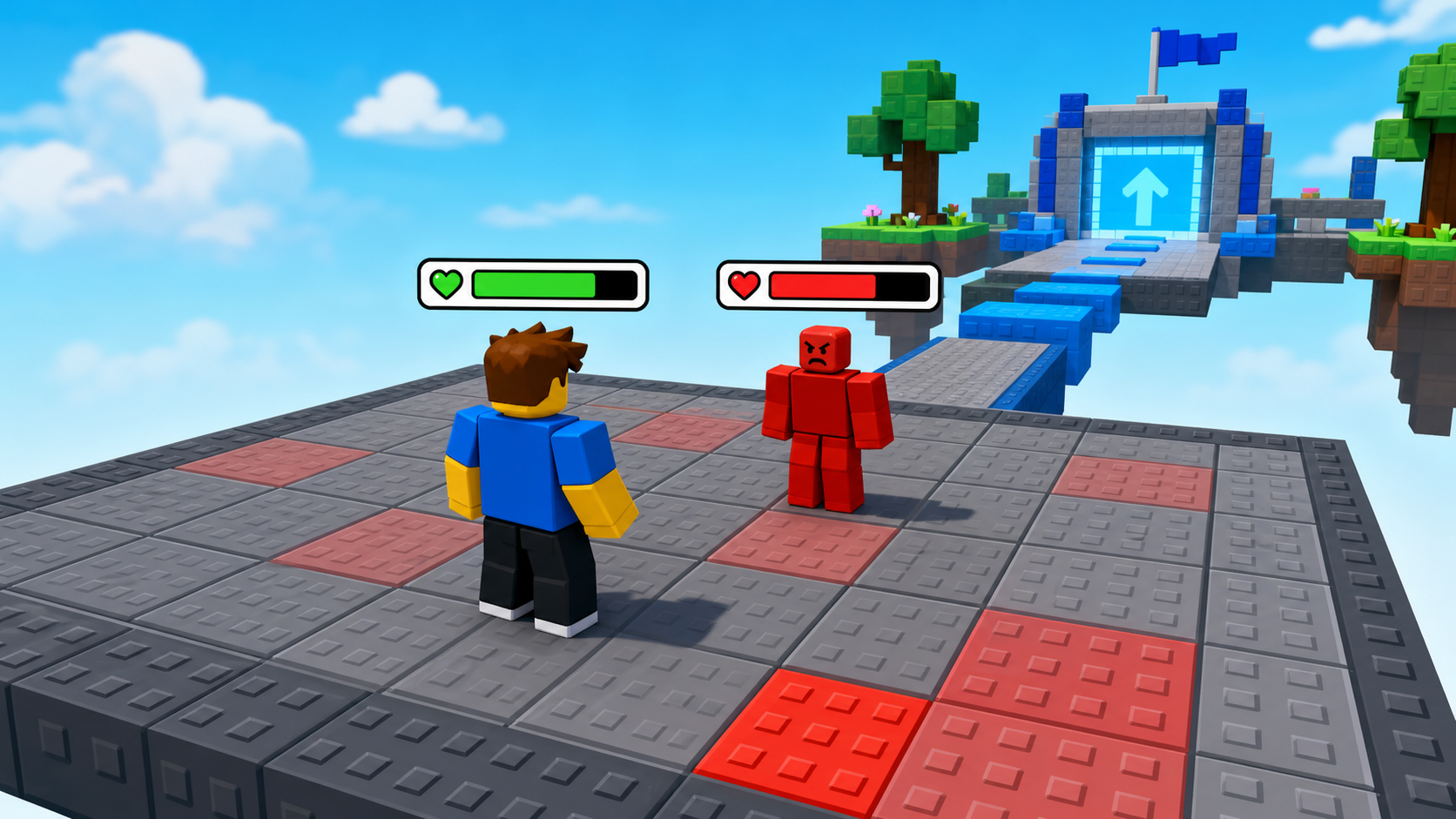
green health bars over the player and the dummy that shrink in real time as they take damage
90-second demo:
- Press Play. A green bar floats over your head and over the dummy.
- Swing the sword or throw a fireball at the dummy — its bar shrinks with every hit, in real time.
- Walk into the turret's shots — your own bar shrinks too.
- Explain: "Numbers in the corner are fine for XP, but in a fight you need to see health on the fighter. That's what a health bar does — it puts the Humanoid's health right above its head."
The big idea
You've had health since Stage 1, but you couldn't see it on anyone. In a fight, that's a problem — you need to know, at a glance, who's almost down. Today every fighter gets a health bar floating above their head.
The tool is a BillboardGui — a piece of UI that hangs in the 3D world above a part and always faces the camera. Inside it you put two boxes: a dark one for the empty track, and a green one for the fill. To make the green box show the right amount, you set its width to the fraction Health / MaxHealth. Full health, full width; half health, half width.
The clever part is keeping it honest. A Humanoid fires an event called HealthChanged every single time its health moves — from a sword, a fireball, a turret, anything. If you resize the green box every time that event fires, the bar can never lie. You write the bar once as a reusable function and hand it to every Humanoid in the game.
- BillboardGui
- UI that floats in the 3D world above a part and always faces the camera
- Frame
- a plain rectangle of UI; we use two — a dark track and a green fill
- UDim2
- how Roblox sizes UI; the Scale part (0 to 1) is a fraction of the parent, perfect for a bar
- MaxHealth
- a Humanoid's full health; divide Health by it to get the fraction the bar should show
- HealthChanged
- a Humanoid event that fires whenever its Health changes — the trigger to redraw the bar
- Adornee
- the part a BillboardGui attaches to; set it to the Head so the bar floats there
Build it
Step 1 — Build the hidden hazard field
A wide floor dotted with hazards. Some are obvious; make a couple nearly invisible so players have to learn the safe route.
Build this partHazardField
BlockOpen recipe
HazardField
Block- Size
- 24 × 1 × 24
- Color
- Dark stone grey
- Material
- Concrete
- Anchored
- ✓ Yes
- Place
- A wide platform forward from the Stage 6 violet pad
Add several hazards on top, named Hazard_1, Hazard_2, and so on:
Build this partHazard_1
BlockOpen recipe
Hazard_1
Block- Size
- 4 × 1 × 4
- Color
- Really red
- Material
- Neon
- Anchored
- ✓ Yes
- Place
- Somewhere on the HazardField
Make this one obvious — bright and solid.
Build this partHazard_2
BlockOpen recipe
Hazard_2
Block- Size
- 4 × 1 × 4
- Color
- Dark stone grey
- Material
- Concrete
- Anchored
- ✓ Yes
- Place
- Elsewhere on the HazardField
Camouflage this one — same color as the floor, Transparency 0.3 — so players must learn it.
Add Hazard_3 and Hazard_4 to taste. Then make them dangerous — in ServerScriptService, insert a Script named Hazards:
local Players = game:GetService("Players")

for _, part in ipairs(workspace:GetDescendants()) do
  if part.Name:sub(1, 7) == "Hazard_" then
    part.Touched:Connect(function(otherPart)
      local humanoid = otherPart.Parent:FindFirstChildOfClass("Humanoid")
      local player = Players:GetPlayerFromCharacter(otherPart.Parent)
      if humanoid and player then
        humanoid.Health = 0
      end
    end)
  end
end
Press Play and find the safe path across. The camouflaged hazard should catch you the first time.
Step 2 — Wire the Stage 7 checkpoint
Build this partSpawnLocation (Stage 7 — across the field)
BlockOpen recipe
SpawnLocation (Stage 7 — across the field)
Block- Size
- 6 × 1 × 6
- Color
- Bright orange
- Material
- Plastic
- Anchored
- ✓ Yes
- Place
- On the far edge of HazardField
Add StageNumber = 7. Check AllowTeamChangeOnTouch. Uncheck Neutral. Set TeamColor to Bright orange.
Same gesture: StageNumber = 7 attribute and a Stage 7 Team (Bright orange, AutoAssignable unchecked).
Step 3 — Build a health bar for every fighter
In ServerScriptService, insert a Script named HealthBars. You'll build it in three passes.
Pass 1 — A function that builds one bar
local function addHealthBar(humanoid)
  local character = humanoid.Parent
  local head = character:FindFirstChild("Head")
  if not head then return end
  if head:FindFirstChild("HealthBar") then return end

  local gui = Instance.new("BillboardGui")
  gui.Name = "HealthBar"
  gui.Size = UDim2.new(0, 100, 0, 12)
  gui.StudsOffset = Vector3.new(0, 2.5, 0)
  gui.AlwaysOnTop = true
  gui.Adornee = head
  gui.Parent = head

  local track = Instance.new("Frame")
  track.Size = UDim2.new(1, 0, 1, 0)
  track.BackgroundColor3 = Color3.fromRGB(40, 40, 40)
  track.BorderSizePixel = 0
  track.Parent = gui

  local fill = Instance.new("Frame")
  fill.Name = "Fill"
  fill.Size = UDim2.new(1, 0, 1, 0)
  fill.BackgroundColor3 = Color3.fromRGB(70, 200, 60)
  fill.BorderSizePixel = 0
  fill.Parent = track
end

-- Try it on the dummy:
local dummy = workspace:FindFirstChild("Dummy")
if dummy then
  addHealthBar(dummy:FindFirstChildOfClass("Humanoid"))
end
Press Play. A green bar floats over the dummy's head. Hit the dummy — the bar doesn't shrink yet, because nothing redraws it. That's Pass 2. Stop.
Pass 2 — Keep the bar in sync with health
Inside addHealthBar, before the function ends, add an update routine wired to HealthChanged:
  local function update()
    local fraction = humanoid.Health / humanoid.MaxHealth
    fill.Size = UDim2.new(fraction, 0, 1, 0)
  end

  humanoid.HealthChanged:Connect(update)
  update()
Press Play. Swing or fireball the dummy — its green bar shrinks with each hit, instantly. The update() at the end draws it correctly the moment it's created. Stop.
Pass 3 — Give every fighter a bar
The dummy has a bar; now give one to players and to any enemy that spawns later. Replace the "Try it on the dummy" block at the bottom with:
local Players = game:GetService("Players")

-- Players, now and in the future.
local function onCharacter(character)
  local humanoid = character:WaitForChild("Humanoid")
  addHealthBar(humanoid)
end

Players.PlayerAdded:Connect(function(player)
  player.CharacterAdded:Connect(onCharacter)
  if player.Character then
    onCharacter(player.Character)
  end
end)

-- Any Humanoid already in the world (like the dummy).
for _, descendant in ipairs(workspace:GetDescendants()) do
  if descendant:IsA("Humanoid") then
    addHealthBar(descendant)
  end
end

-- Any Humanoid that appears later (enemies you spawn in Stage 7+).
workspace.DescendantAdded:Connect(function(descendant)
  if descendant:IsA("Humanoid") then
    task.wait(0.1)
    addHealthBar(descendant)
  end
end)
Press Play. A bar floats over your head and the dummy's. Take a turret shot and watch your own bar drop. Every fighter you add from now on gets a bar automatically.
Understand it
A BillboardGui lives in the 3D world but holds 2D UI. Its Adornee is the part it floats over (the Head), and StudsOffset lifts it above the hair. AlwaysOnTop means walls don't hide it. Inside, ordinary UI Frames behave like they would on a screen.
The fraction trick is why the bar is just two boxes. The fill Frame's size is UDim2.new(fraction, 0, 1, 0) — the first number, the Scale, is a fraction of the track's width. Health 100 of 100 is 1.0 (full width); health 25 of 100 is 0.25 (a quarter). You never compute pixels; you let Scale do it.
The HealthChanged event is what makes the bar trustworthy. Instead of checking health every frame (wasteful) or only once (wrong), you redraw exactly when health changes. Sword, fireball, turret, hazard — all of them move health, all of them fire HealthChanged, and your one update function catches them all.
Writing it as one reusable function is the real win. addHealthBar doesn't care if it's given a player, the dummy, or a boss — anything with a Humanoid and a Head gets a working bar. That's why the same function serves the enemies in Stage 7, the wave in Stage 9, and the boss in Stage 10 without a single change.
One reusable health bar, driven by HealthChanged
The function builds a dark track with a green fill above the head, then resizes the fill to the health fraction every time health changes.
local function addHealthBar(humanoid)
local head = humanoid.Parent:FindFirstChild("Head")
if not head or head:FindFirstChild("HealthBar") then return end

local gui = Instance.new("BillboardGui")
gui.Name = "HealthBar"
gui.Size = UDim2.new(0, 100, 0, 12)
gui.StudsOffset = Vector3.new(0, 2.5, 0)
gui.AlwaysOnTop = true
gui.Adornee = head
gui.Parent = head

local track = Instance.new("Frame")
track.Size = UDim2.new(1, 0, 1, 0)
track.BackgroundColor3 = Color3.fromRGB(40, 40, 40)
track.Parent = gui

local fill = Instance.new("Frame")
fill.BackgroundColor3 = Color3.fromRGB(70, 200, 60)
fill.Parent = track

local function update()
  fill.Size = UDim2.new(humanoid.Health / humanoid.MaxHealth, 0, 1, 0)
end
humanoid.HealthChanged:Connect(update)
update()
end
Line 2Bail out early.
No Head, or a bar already exists? Stop. This keeps the function safe to call on the same fighter twice.
Lines 4–11Float the UI above the head.
A BillboardGui adorned to the Head, lifted 2.5 studs, always on top. This is the container the bar lives in.
Lines 13–21Two boxes: track and fill.
A dark track at full size, and a green fill on top of it. The fill's width is what changes to show health.
Lines 23–27Resize on every health change.
update() sets the fill's Scale width to Health/MaxHealth. Wiring it to HealthChanged means the bar redraws the instant anything deals damage.
Try this
Try this
Three short experiments. Predict before you run, then test your guess.
Predict what the bar looks like at 30 health out of 100. What number goes in the fill's Scale width? Hit the dummy down to about there and check.
Set the BillboardGui's AlwaysOnTop to false, press Play, and walk behind a wall from the dummy. Compare what you see versus true. When would you actually want health bars to hide behind walls?
Right now the bar is always green. In a real game it turns red as health drops. The Stretch challenge does this — but first: which value would you check inside update to decide the color?
Test your stage
- Press ▶ Play. A green bar floats over your head and the dummy's.
- Sword or fireball the dummy — its bar shrinks with each hit, in real time.
- Walk into a turret shot or hazard — your own bar drops.
- Cross the hazard field; the camouflaged hazard catches you at least once.
- Reach the Stage 7 orange pad.
- Design check. Is the bar readable from across the field? If it's too small or too low, bump the
SizeorStudsOffset. A health bar you can't read is no better than none.
If it breaks
- No bar appears. The fighter needs a part named
Head. Players and Rig Builder dummies have one. Also confirm the BillboardGui'sAdorneeandParentare both the Head. - The bar shows but never moves. You skipped the
HealthChangedconnection, or theupdate()call. Both are in Pass 2. - The bar is full even at low health. Your fraction math is flipped or using the wrong values. It must be
humanoid.Health / humanoid.MaxHealth. - The player's bar never appears.
CharacterAddedmay have already fired before your connection. Theif player.Character then onCharacter(player.Character) endline covers that case — make sure it's there. - Two bars stack on one fighter. The
if head:FindFirstChild("HealthBar") then return endguard prevents duplicates — confirm the BillboardGui is named exactlyHealthBar.
This is the first heavy UI stage. The fraction-to-Scale idea is the concept to nail: a bar is just a box whose width is a fraction. Draw it on the board — full, half, quarter — before the code.
- The DescendantAdded block at the end is forward-looking: it's what auto-bars the enemies campers build next stage. If it errors, the small
task.wait(0.1)gives the new Humanoid a frame to gain its Head. - Campers love decorating bars. Timebox it — the goal is a working, readable bar, not a perfect one.
- Total time: 55 minutes. Hazard field + script 15, checkpoint 5, three-pass health bar 35.