Stage 3: Plank Walkway + the sword that bites
Finish Stage 2. Checkpoints pay XP and your Level climbs. You still spawn holding the Stage 1 sword — today it learns to hurt.
a narrow plank walkway, the Stage 4 checkpoint, a training dummy, and a script inside the sword that deals damage on a swing
how Tool.Activated detects a swing, how Touched finds a Humanoid, and how a debounce stops one swing from hitting forever
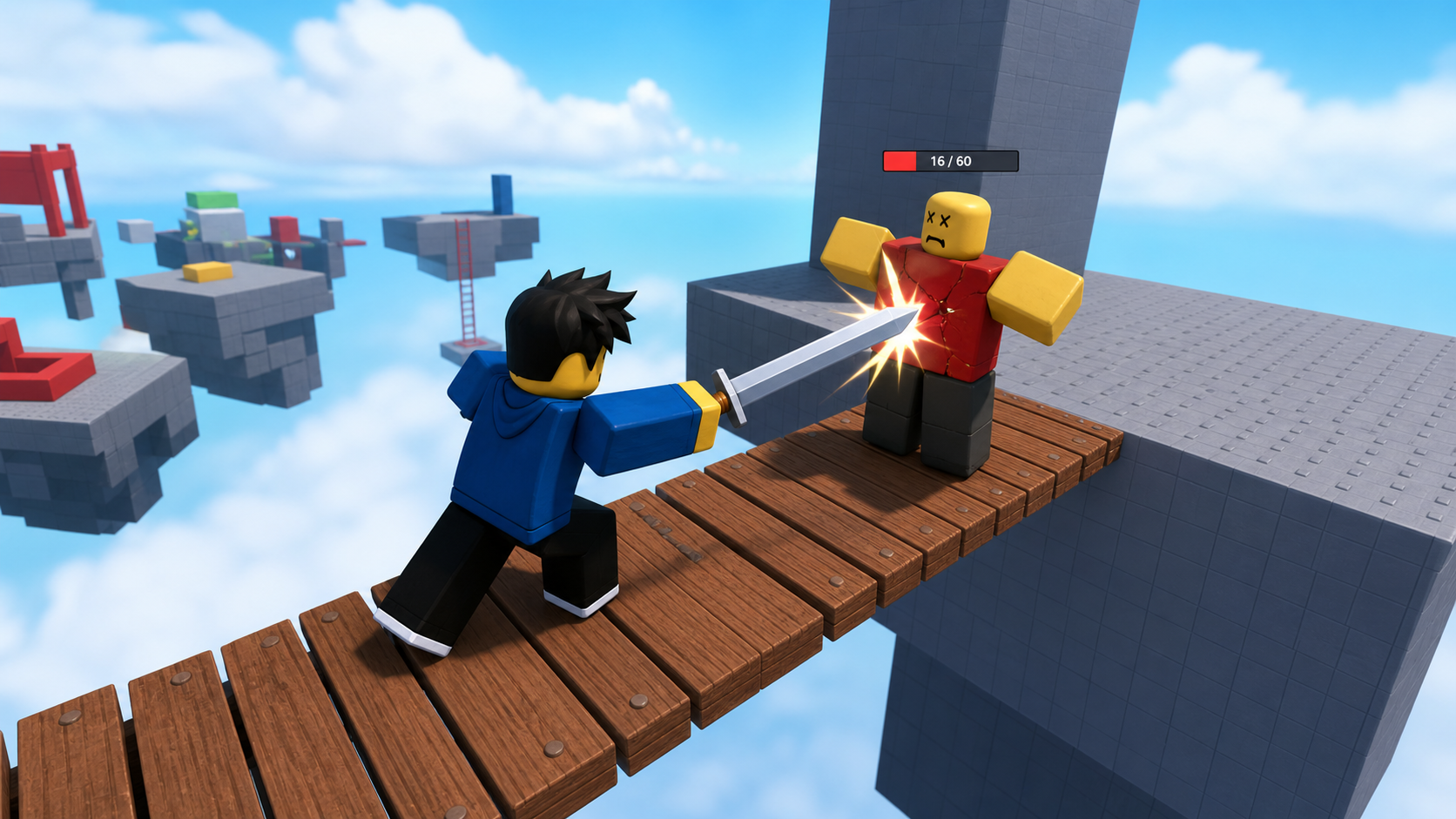
a sword that takes a chunk of health off the training dummy each time you swing into it
90-second demo:
- Press Play. Walk up to the training dummy and click to swing the sword.
- Each swing knocks the dummy's health down a step. A few swings and it falls over.
- Swing at empty air — nothing happens. Walk into the dummy without swinging — nothing happens.
- Explain: "A sword that always hurts isn't a weapon, it's a hazard. The trick is making damage happen only on a real swing, and only once per hit."
The big idea
Your sword has been a prop for two stages. Today it becomes a weapon — and a weapon is more than "touch equals damage." If touching dealt damage, you'd hurt enemies just by walking past them, and one touch would tick damage dozens of times as your blade brushed them. A real weapon deals damage only on a swing, and only once per hit.
Three pieces make that happen. Tool.Activated fires when the player clicks — that's the swing. While the swing window is open, the Handle's Touched event tells you what the blade brushed. If what it brushed has a Humanoid (the object that holds a character's health), you deal damage with Humanoid:TakeDamage. And a debounce remembers who you just hit so a single swing can't tick the same target over and over.
To test all this, you need a target. You'll drop in a training dummy — a ready-made character rig with its own Humanoid and health — using Studio's Rig Builder.
- Humanoid
- the object inside a character or enemy that holds Health, WalkSpeed, and whether it's alive; damage goes through it
- Tool.Activated
- an event that fires when the player clicks while holding the Tool — this is the swing
- TakeDamage
- a Humanoid method that lowers Health by an amount; the standard way to deal damage
- Touched
- an event on a part that fires when another part bumps into it
- Rig Builder
- a Studio tool (Avatar tab) that inserts a ready-made character with a Humanoid — perfect for a dummy
- debounce
- a flag that stops a repeat; here it stops one swing from damaging the same target many times
Build it
Step 1 — Build the plank walkway
A narrow bridge of thin planks. Falling sends you back to the Stage 3 checkpoint.
Build this partPlank_1
BlockOpen recipe
Plank_1
Block- Size
- 3 × 1 × 12
- Color
- Reddish brown
- Material
- Wood
- Anchored
- ✓ Yes
- Place
- Starting at the Stage 3 blue pad, stretching forward
Build this partPlank_2
BlockOpen recipe
Plank_2
Block- Size
- 3 × 1 × 12
- Color
- Reddish brown
- Material
- Wood
- Anchored
- ✓ Yes
- Place
- A small gap ahead of Plank_1, in line
Add a third plank if you want a longer crossing. Press Play and walk it end to end.
Step 2 — Wire the Stage 4 checkpoint
Build this partSpawnLocation (Stage 4 — end of the planks)
BlockOpen recipe
SpawnLocation (Stage 4 — end of the planks)
Block- Size
- 6 × 1 × 6
- Color
- Bright green
- Material
- Plastic
- Anchored
- ✓ Yes
- Place
- At the far end of the last plank
Add StageNumber = 4. Check AllowTeamChangeOnTouch. Uncheck Neutral. Set TeamColor to Bright green.
Same gesture as before: StageNumber = 4 attribute, plus a Stage 4 Team (Bright green, AutoAssignable unchecked). Your Stage 2 XP loop already covers this new pad — no script change needed.
Step 3 — Drop in a training dummy
You need something to hit. Studio can insert a ready-made character.
- Click the Avatar tab in the top ribbon.
- Click Rig Builder.
- Choose Block Rig (the simple R6 one) and Insert.
- A character called
Rigappears at the origin. Rename it Dummy. - Drag the Dummy so it stands beside the plank walkway, on a small platform or on the Stage 3 pad area where you can reach it.
The Dummy already has a Humanoid inside it — open the Dummy in Explorer and you'll see it. That Humanoid has Health (100 by default). That's the health your sword will chip away.
So the dummy doesn't wander or fall, select its HumanoidRootPart and check Anchored. It will stand its ground while you practice. (Stage 7 unanchors this kind of rig so an enemy can move.)
Step 4 — Teach the sword to deal damage
The damage logic lives inside the sword, so it travels with the Tool. In Explorer, expand StarterPack → Sword, right-click the Sword Tool → Insert Object → Script. Rename it SwordDamage. Delete the placeholder line.
Build it in three passes. Press Play and read Output after each.
Pass 1 — Detect the swing
local tool = script.Parent
local handle = tool:WaitForChild("Handle")

tool.Activated:Connect(function()
  print("Swing!")
end)
Press Play, hold the sword, and click. Output prints "Swing!" once per click. Stop.
Pass 2 — See what the blade brushes during a swing
Replace the script with this:
local tool = script.Parent
local handle = tool:WaitForChild("Handle")

local canHit = false

tool.Activated:Connect(function()
  canHit = true
  task.wait(0.4)
  canHit = false
end)

handle.Touched:Connect(function(otherPart)
  if not canHit then return end
  local humanoid = otherPart.Parent:FindFirstChildOfClass("Humanoid")
  if humanoid then
    print("Blade hit a Humanoid in", otherPart.Parent.Name)
  end
end)
Press Play. Click to swing, then brush the dummy with your blade during the swing. Output prints "Blade hit a Humanoid in Dummy". Swing at air — silence. Walk into the dummy without swinging — silence, because canHit is false. Stop.
Pass 3 — Deal damage, once per hit, and never to yourself
Replace the handle.Touched block with this fuller version:
local recentlyHit = {}

handle.Touched:Connect(function(otherPart)
  if not canHit then return end

  local target = otherPart.Parent
  local humanoid = target:FindFirstChildOfClass("Humanoid")
  if not humanoid then return end

  -- Don't hit the player who is holding the sword.
  if otherPart:IsDescendantOf(tool.Parent) then return end

  -- Don't hit the same target more than once per swing window.
  if recentlyHit[humanoid] then return end
  recentlyHit[humanoid] = true

  humanoid:TakeDamage(25)
  print("Hit", target.Name, "->", humanoid.Health, "HP left")

  task.delay(0.5, function()
    recentlyHit[humanoid] = nil
  end)
end)
Press Play. Swing into the dummy. Its Humanoid Health drops by 25 each clean hit (watch the dummy in Explorer, or its health bar over its head). Four hits and it falls. Swinging into yourself does nothing, and a single swing can't drain the dummy in one frame.
Understand it
The canHit window is what turns a touch into a swing. Tool.Activated opens the window for 0.4 seconds, then closes it. The Touched handler refuses to do anything unless the window is open, so walking into the dummy is harmless and only a real, recent click counts.
The FindFirstChildOfClass("Humanoid") check is how you tell "a fighter" from "a wall." Players and enemies have a Humanoid; planks and floors don't. Damage only makes sense against something with health, so you bail out early if there's no Humanoid.
The recentlyHit debounce is the same idea you used for checkpoints, applied to combat. Your blade is a physical part, and Touched can fire many times as it sweeps through a target. Without the debounce, one swing could deal 25 damage ten times. The table remembers "I already hit this Humanoid," and a task.delay clears the memory half a second later so your next swing lands fresh.
The "don't hit yourself" guard (otherPart:IsDescendantOf(tool.Parent)) matters because your own body parts brush the Handle constantly. tool.Parent is the character holding the sword, so any part belonging to that character is skipped.
How a click becomes one clean hit
The sword script opens a short damage window on each swing, then deals damage to the first Humanoid the blade brushes — once, and never to its owner.
local tool = script.Parent
local handle = tool:WaitForChild("Handle")

local canHit = false

tool.Activated:Connect(function()
canHit = true
task.wait(0.4)
canHit = false
end)

local recentlyHit = {}

handle.Touched:Connect(function(otherPart)
if not canHit then return end

local target = otherPart.Parent
local humanoid = target:FindFirstChildOfClass("Humanoid")
if not humanoid then return end
if otherPart:IsDescendantOf(tool.Parent) then return end
if recentlyHit[humanoid] then return end

recentlyHit[humanoid] = true
humanoid:TakeDamage(25)
task.delay(0.5, function()
  recentlyHit[humanoid] = nil
end)
end)
Lines 1–2Grab the Tool and its Handle.
script.Parent is the Sword Tool. WaitForChild('Handle') gets the blade part — the thing whose Touched event tells us what we brushed.
Lines 6–10Open a swing window on click.
Tool.Activated fires on click. canHit flips true for 0.4 seconds, then false. The Touched handler only acts while it's true, so only real swings deal damage.
Lines 14–19Find a Humanoid that isn't you.
Bail out if the window is closed, if there's no Humanoid, or if the part belongs to the sword's owner. Each guard removes a way the sword could misbehave.
Lines 21–26Damage once, then forget.
Mark the target as recently hit, deal 25 damage, and clear the memory after half a second so the next swing can hit it again. This is the combat debounce.
Try this
Try this
Three short experiments. Predict before you run, then test your guess.
Predict what happens if you delete the line if recentlyHit[humanoid] then return end. Then delete it and swing into the dummy once. How much health does a single swing remove now? Put the line back.
Change task.wait(0.4) to task.wait(2) so the swing window stays open for two seconds. Press Play and compare how the sword feels. Is a longer window better or worse? What does it let you do that 0.4 seconds doesn't?
Right now defeating the dummy gives you nothing. In Stage 2 you wrote addXP(player, amount). How could a future stage call addXP when a Humanoid's Health reaches 0 from your sword? (Stage 8 builds exactly this with loot.)
Test your stage
- Press ▶ Play. Walk the planks end to end and reach the Stage 4 green pad.
- Swing into the dummy. Its health drops by 25 each clean hit.
- Four hits and the dummy falls over.
- Swing at air — nothing happens.
- Walk into the dummy without swinging — nothing happens.
- Output prints the remaining HP after each hit.
- Design check. Does 25 damage per hit feel right against 100 health? Too high and fights end instantly; too low and they drag. Note what feels fair — you'll tune real enemies with this same number later.
If it breaks
- Swinging does nothing. Confirm the
SwordDamagescript is inside the Sword Tool, and that the Tool still has a part named exactlyHandle. The script readsscript.Parentas the Tool. - The dummy takes no damage. Make sure you're swinging during the 0.4-second window — click, then immediately brush the dummy. Also confirm the Dummy has a Humanoid (open it in Explorer).
- One swing kills the dummy instantly. Your debounce is missing or broken. Re-check the
recentlyHitlines — both theif ... then return endand the line that sets it to true. - The sword hurts me. The "don't hit yourself" guard is missing. Confirm
if otherPart:IsDescendantOf(tool.Parent) then return endis present. attempt to index nil with 'TakeDamage'. You called TakeDamage on something that wasn't a Humanoid. Theif not humanoid then return endguard must come first.
This is the first stage where the script lives inside a Tool instead of ServerScriptService. Explain why: the logic belongs to the sword, so it should travel with the sword. A Tool's Script runs when the Tool is equipped.
- The debounce is the lesson. Have campers delete it (Predict beat) and watch one swing nuke the dummy — the "aha" is worth the detour.
- Some campers swing and then walk into the dummy after the window closed. Coach the timing: click and brush in one motion.
- Rig Builder lives under the Avatar tab, not Model. If a camper can't find it, that's usually why.
- Total time: 55 minutes. Planks 10, checkpoint 5, dummy 10, three-pass sword script 30.