Stage 7: Rolling Rocks
Finish Stage 6: Hidden Hazard Field first. You have a purple Stage 7 checkpoint past the field, and you understand state variables and if/else branches.
a wedge ramp, a cover block midway up, and a boulder spawner that rolls TweenService rocks down the ramp
TweenService — smooth motion as a service, plus the cover-block design pattern
the eighth checkpoint and a script that animates boulders without a `while` loop in sight
The big idea
Stage 1's hard stretch used a while true do … wait() loop to nudge a block's position frame by frame. Stage 2's hard stretch used TweenService instead. Today TweenService is the only tool we use for motion. Once you've written a TweenService animation, the brute-force while loop for smooth movement starts to feel wrong — TweenService is what real Roblox developers reach for.
The design lesson is cover. A cover block is a piece of geometry the player can hide behind for a moment of safety. Without it, a long climb against rolling rocks would be a single brutal dash. With one well-placed cover block, the climb breaks into two short dashes with a planned breather between. Cover isn't a Roblox feature — it's just a part. The lesson is that one well-placed part can be a powerful design tool.
The ramp is a Wedge — Roblox's built-in triangular shape. Wedges plus rotation give you any slope you want without complicated math.
- TweenService
- the Roblox service for smoothly animating a property from one value to another over time
- TweenInfo
- the recipe — duration, easing style, easing direction, repeat count, reversal
- easing
- how the animation interpolates between start and end — Linear is robotic, Sine is smooth, Bounce is springy
- Wedge
- a Roblox part shape with a triangular profile — the easy way to build ramps
- cover
- a design term for geometry the player can hide behind for a beat of safety
Build it
Step 1 — Build the ramp and cover
A long Wedge tilted as a ramp, with a small block partway up that the player can stand behind.
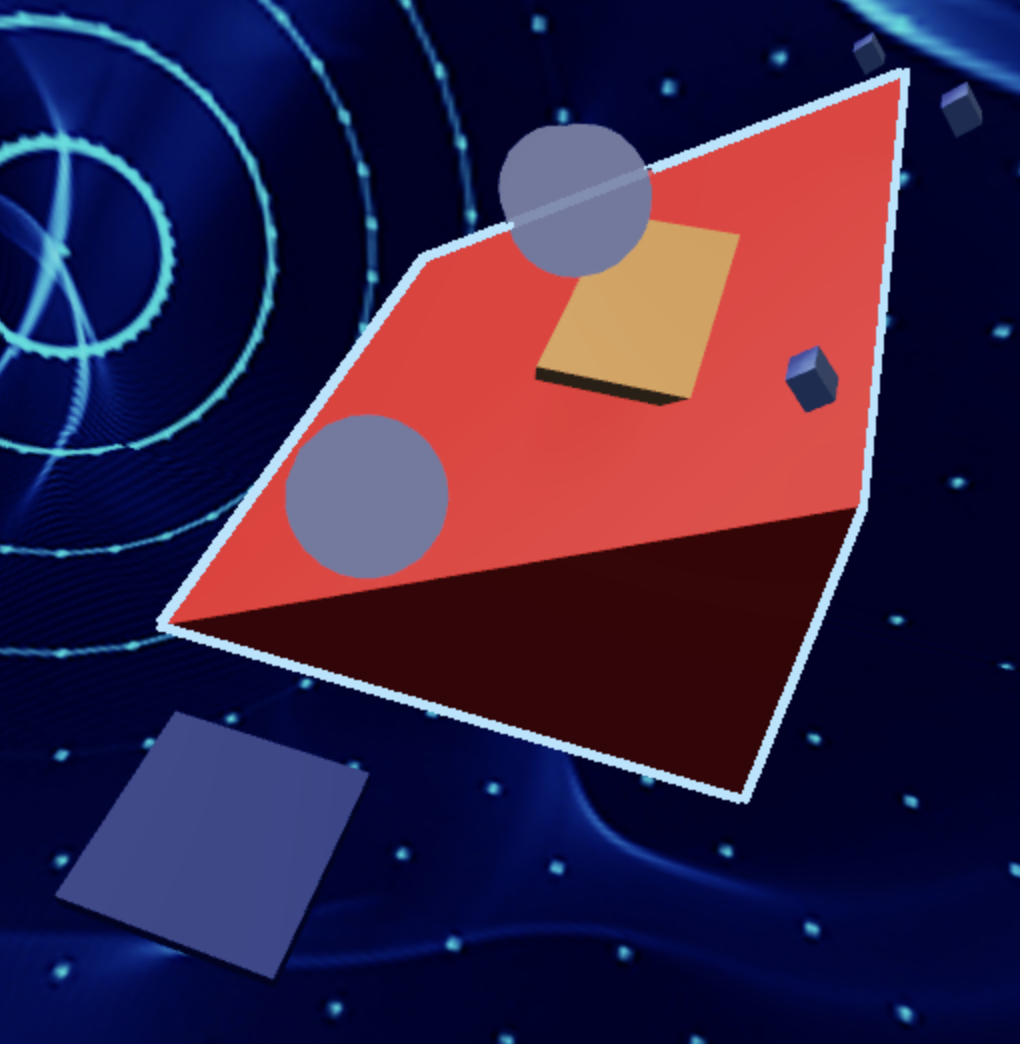
Build this partRockRamp
WedgeOpen recipe
RockRamp
Wedge- Size
- 6 × 8 × 30
- Color
- Dark stone grey
- Material
- Slate
- Anchored
- ✓ Yes
- Place
- Starting at the Stage 7 purple pad, sloping up. The X (6) is the width, Y (8) is the rise, Z (30) is the length.
Wedges have a flat bottom and a sloped top. The slope direction depends on Orientation — rotate around Y if it points the wrong way.
Build this partCoverBlock
BlockOpen recipe
CoverBlock
Block- Size
- 3 × 4 × 1
- Color
- Reddish brown
- Material
- Wood
- Anchored
- ✓ Yes
- Place
- Standing upright on the ramp, about halfway up, slightly off to one side so the player can duck behind
The 1-stud thickness is the back wall the player hides against. Position it so a rolling boulder coming down the ramp would pass it on one side.
Press ▶ Play. Walk up the ramp. The cover block is just sitting there for now — no rocks to hide from yet. Stop.
Step 2 — Build the boulder spawner
The spawner is an invisible part at the top of the ramp. The script attached to it will create rolling boulders that tween down the ramp.
Build this partBoulderSpawner
BlockOpen recipe
BoulderSpawner
Block- Size
- 2 × 2 × 2
- Color
- Bright red
- Material
- Neon
- Anchored
- ✓ Yes
- Place
- At the very top of RockRamp, slightly above it (so rocks spawn just above the surface)
We'll make this invisible after testing — keep it Neon red and visible for now so you can see where it is.
Step 3 — Add the eighth checkpoint
Build this partSpawnLocation (Stage 8 — top of the ramp)
BlockOpen recipe
SpawnLocation (Stage 8 — top of the ramp)
Block- Size
- 6 × 1 × 6
- Color
- Lime green
- Material
- Plastic
- Anchored
- ✓ Yes
- Place
- At the very top of RockRamp, just past BoulderSpawner
Also: check AllowTeamChangeOnTouch. Uncheck Neutral. Set TeamColor to Lime green. In Teams, insert a Team named 'Stage 8', uncheck AutoAssignable, set its TeamColor to match.
Step 4 — Write the boulder-tween script
The script in BoulderSpawner will, every 2 seconds: create a boulder, attach a kill handler, then tween the boulder from spawner position down to ramp base. Clean up after the tween.
Right-click BoulderSpawner → Insert Object → Script. Build the script in three passes.
Pass 1 — Create a boulder, no motion
local spawner = script.Parent
local TweenService = game:GetService("TweenService")
local Debris = game:GetService("Debris")

local function spawnBoulder()
  local boulder = Instance.new("Part")
  boulder.Shape = Enum.PartType.Ball
  boulder.Size = Vector3.new(3, 3, 3)
  boulder.Color = Color3.fromRGB(80, 60, 50)
  boulder.Material = Enum.Material.Slate
  boulder.Position = spawner.Position
  boulder.Anchored = true
  boulder.Parent = workspace
end

spawnBoulder()
Press Play. A grey boulder appears at the top of the ramp and just sits there (it's anchored). Stop.
Pass 2 — Tween the boulder down the ramp
We pick a destination position (the bottom of the ramp), build TweenInfo, create the tween, play it.
local spawner = script.Parent
local TweenService = game:GetService("TweenService")
local Debris = game:GetService("Debris")

local function spawnBoulder()
  local boulder = Instance.new("Part")
  boulder.Shape = Enum.PartType.Ball
  boulder.Size = Vector3.new(3, 3, 3)
  boulder.Color = Color3.fromRGB(80, 60, 50)
  boulder.Material = Enum.Material.Slate
  boulder.Position = spawner.Position
  boulder.Anchored = true
  boulder.Parent = workspace

  -- Destination: bottom of the ramp, 30 studs forward and 8 studs down
  local destination = spawner.Position + Vector3.new(0, -8, -30)

  local info = TweenInfo.new(
    3,                                  -- 3 seconds to roll down
    Enum.EasingStyle.Linear,            -- constant speed (no easing)
    Enum.EasingDirection.Out
  )
  local goal = { Position = destination }

  local tween = TweenService:Create(boulder, info, goal)
  tween:Play()

  Debris:AddItem(boulder, 4)
end

spawnBoulder()
Press Play. A boulder spawns at the top and tweens smoothly down the ramp over 3 seconds. After 4 seconds it disappears. Stop.
Pass 3 — Add the kill handler and loop the spawn
The boulder needs to kill on touch, and we need a loop that spawns one every 2 seconds.
local spawner = script.Parent
local TweenService = game:GetService("TweenService")
local Debris = game:GetService("Debris")

local function spawnBoulder()
  local boulder = Instance.new("Part")
  boulder.Shape = Enum.PartType.Ball
  boulder.Size = Vector3.new(3, 3, 3)
  boulder.Color = Color3.fromRGB(80, 60, 50)
  boulder.Material = Enum.Material.Slate
  boulder.Position = spawner.Position
  boulder.Anchored = true

  boulder.Touched:Connect(function(otherPart)
    local character = otherPart.Parent
    local humanoid = character:FindFirstChildOfClass("Humanoid")
    if humanoid then
      humanoid.Health = 0
    end
  end)

  boulder.Parent = workspace

  local destination = spawner.Position + Vector3.new(0, -8, -30)

  local info = TweenInfo.new(
    3,
    Enum.EasingStyle.Linear,
    Enum.EasingDirection.Out
  )
  local goal = { Position = destination }

  local tween = TweenService:Create(boulder, info, goal)
  tween:Play()

  Debris:AddItem(boulder, 4)
end

while true do
  spawnBoulder()
  wait(2)
end
Press Play. Boulders roll down every 2 seconds. The cover block now matters — duck behind it during the moment a boulder is passing, then dart up to the next safe position.
Hide BoulderSpawner by setting its Transparency = 1 in Properties (or via script: add spawner.Transparency = 1 near the top). The spawner is mechanical — players don't need to see it.
Understand it
TweenService replaces the while loop for motion. Compare today's script to Stage 1's hard stretch: Stage 1 used a 20-line loop that nudged Y position 30 times per second. TweenService does the same thing with one TweenService:Create + :Play call. The math is identical (interpolating from start to end over time); TweenService just packages it.
The trade-off: TweenService is less flexible. A while loop can change direction based on game state mid-motion; a tween is committed to its destination from the moment you call :Play(). For predictable smooth motion (boulders rolling, doors opening, UI sliding), use TweenService. For motion that needs to respond to player input or game state, use a while loop or RunService.Heartbeat (Stage 8).
Linear easing is what makes the boulder roll at constant speed. Try changing it to Enum.EasingStyle.Sine and the boulder will speed up at the top and slow down at the bottom — which doesn't feel right for gravity-rolling rocks. The right easing for the right motion is part of the craft.
The destination calculation spawner.Position + Vector3.new(0, -8, -30) is doing 3D vector math. It says "the boulder ends 8 studs lower and 30 studs further along the Z axis than it started." If your ramp is rotated or angled differently, you'd adjust those numbers. Stage 9 will introduce a smarter way to parameterize this kind of geometry.
How this script creates a rolling hazard on a timer
This is the Stage 5 pattern with a different kind of motion. The function makes one boulder, TweenService moves it down the ramp, and the loop keeps spawning more.
local spawner = script.Parent
local TweenService = game:GetService("TweenService")
local Debris = game:GetService("Debris")

local function spawnBoulder()
  local boulder = Instance.new("Part")
  boulder.Shape = Enum.PartType.Ball
  boulder.Size = Vector3.new(3, 3, 3)
  boulder.Color = Color3.fromRGB(80, 60, 50)
  boulder.Material = Enum.Material.Slate
  boulder.Position = spawner.Position
  boulder.Anchored = true

  boulder.Touched:Connect(function(otherPart)
    local character = otherPart.Parent
    local humanoid = character:FindFirstChildOfClass("Humanoid")
    if humanoid then
      humanoid.Health = 0
    end
  end)

  boulder.Parent = workspace

  local destination = spawner.Position + Vector3.new(0, -8, -30)

  local info = TweenInfo.new(
    3,
    Enum.EasingStyle.Linear,
    Enum.EasingDirection.Out
  )
  local goal = { Position = destination }

  local tween = TweenService:Create(boulder, info, goal)
  tween:Play()

  Debris:AddItem(boulder, 4)
end

while true do
  spawnBoulder()
  wait(2)
end
Lines 1–3Find the spawner and the two helpers.
`spawner` is the invisible part at the top of the ramp. `TweenService` will move each boulder. `Debris` will clean each boulder up after it has rolled.
Lines 5–12Create one anchored boulder.
The boulder starts as a new Part shaped like a ball. `Anchored = true` keeps physics from pulling it away before TweenService gets to control the motion.
Lines 14–20Give the boulder its danger behavior before it appears.
This is the same Humanoid check from the KillBrick. It is connected before the boulder is parented to Workspace, so the boulder is already dangerous the moment players can touch it.
Line 22Make the boulder appear.
Parenting to Workspace is the moment the boulder enters the game world. Before this line, the boulder existed only in the script.
Line 24Pick the bottom of the ramp.
`spawner.Position` is the top. Adding `Vector3.new(0, -8, -30)` creates a destination 8 studs lower and 30 studs forward. If the ramp faces another direction, this is the number learners tune.
Lines 26–30Describe how the roll should feel.
`TweenInfo` says the boulder takes 3 seconds and moves at a constant speed. The movement is predictable, which matters because players are trying to time when to leave cover.
Line 32Start the movement.
`TweenService:Create` combines the boulder, timing, and destination. `:Play()` starts the roll.
Line 37Remove the boulder after its useful moment.
The tween finishes around 3 seconds. `Debris:AddItem(boulder, 4)` gives it one extra second, then destroys it so old boulders do not pile up.
Lines 40–43Turn one boulder into a repeating obstacle.
The function makes one boulder. The loop calls that function, waits 2 seconds, and calls it again. That timing is the hazard's rhythm.
Try this
Try this
Three short experiments. Predict before you run, then test your guess.
Change Enum.EasingStyle.Linear on line 28 to Enum.EasingStyle.Bounce. Predict what the boulders will do as they roll down. Then run it.
Remove the CoverBlock entirely. Play the stage. Now put CoverBlock back and play again. Time how long the stage takes to complete with cover vs. without. Why does one well-placed part change the whole feel of the stage?
Stage 5 used a while true do loop and Instance.new + BodyVelocity to spawn fireballs. Stage 7 uses Instance.new + TweenService. Why might TweenService be the better choice when motion is predictable (a boulder always rolls the same way), and BodyVelocity be the better choice when motion is physics-driven (a fireball reacts to whatever it hits)?
Test your stage
- Boulders spawn at the top of the ramp every 2 seconds.
- Each boulder smoothly rolls down the ramp over 3 seconds.
- Touching a boulder kills you; you respawn on the purple pad.
- You can use CoverBlock to wait out a boulder, then run up.
- You can reach the Lime green pad at the top.
- BoulderSpawner is invisible (or you hid it by hand).
- Design check. Stand at the purple pad with boulders rolling. Is there always a 1-second gap between boulders where the ramp is safe to start climbing? If two boulders are stacked or visually merge, increase
wait(2)towait(2.5).
If it breaks
- The boulder appears but doesn't move. The tween probably crashed during setup. Open Output for error messages. Common cause: TweenInfo.new called with wrong parameter types (e.g., passing a string instead of a number for duration).
- The boulder moves but in the wrong direction. Your ramp orientation is different from the script's assumed direction. Either rotate RockRamp to face the script's direction, or adjust the destination Vector3 — try
Vector3.new(0, -8, 30)(positive Z) orVector3.new(30, -8, 0)(X axis). - The boulder appears below the ramp surface. The spawner Y is too low. Move BoulderSpawner up 2-3 studs so boulders appear above the ramp.
- Boulders pass through me, no kill. Touched handler not attached, or the boulder is moving so fast it skips the collision (rare, but happens with high-speed tweens). Make the boulder bigger or slow the tween.
- Studio crashes when I press Play.
while true dowithout await()inside, somewhere in your script. Re-check.
The trade-off between TweenService and while true do is the big concept of this stage. Most campers will accept "use TweenService because it's smoother." Push them: ask why you'd ever choose a while loop instead. The answer is responsiveness — a tween commits to a destination at Play time and can't change mid-motion. For obstacles that need to react to the player, while loops or Heartbeat connections are better.
- The Wedge shape confuses some campers. Demonstrate: insert a Wedge, look at it from different angles. The triangular face is the "ramp surface."
- The destination calculation
spawner.Position + Vector3(0, -8, -30)works for the default ramp orientation. If a camper rotates their ramp 90 degrees, the destination needs to be on the X axis instead of Z. Either help them re-orient or teach them to read RockRamp's CFrame to find the bottom. - Cover-block design is hard to teach in words. Have them play the stage with and without the cover block — the difference in feel is the lesson.