Stage 8: Spinning KillBricks + tycoon tuning
Finish Stage 7. Your coin machine has a Dropper upgrade and a Collector upgrade.
a spinning KillBricks path, the Stage 9 checkpoint, and a short tuning pass for the coin machine
how to balance coin value, collector bonus, conveyor speed, and upgrade prices so the tycoon feels fair
a cleaner tycoon loop where earning and upgrading feels readable instead of random
60-second demo:
- Watch the coin machine for 20 seconds and count how many coins the player earns.
- Buy one machine upgrade and count again.
- Tune one number, like
CONVEYOR_SPEEDorDROPPER_UPGRADE_COST. - Explain: "This stage is not adding a new business system. It is making the coin system feel right."
The big idea
Stage 8 keeps the Tycoon course simple. The coding focus stays on the coin machine.
By now the player can earn coins from checkpoints, pickups, and the coin machine. They can spend coins to improve the Dropper and Collector. Today you build the next obby obstacle, then tune the machine so the numbers feel good.
- tuning
- adjusting values like cost, speed, and payout until the game feels fair
- payback time
- how long it takes an upgrade to earn back the coins it cost
- balance
- the relationship between earning speed, upgrade cost, and player progress
Build it
Step 1 — Build the spinning KillBricks path
A narrow path with a sweeping arm that rotates continuously. Same as base obby Stage 8.
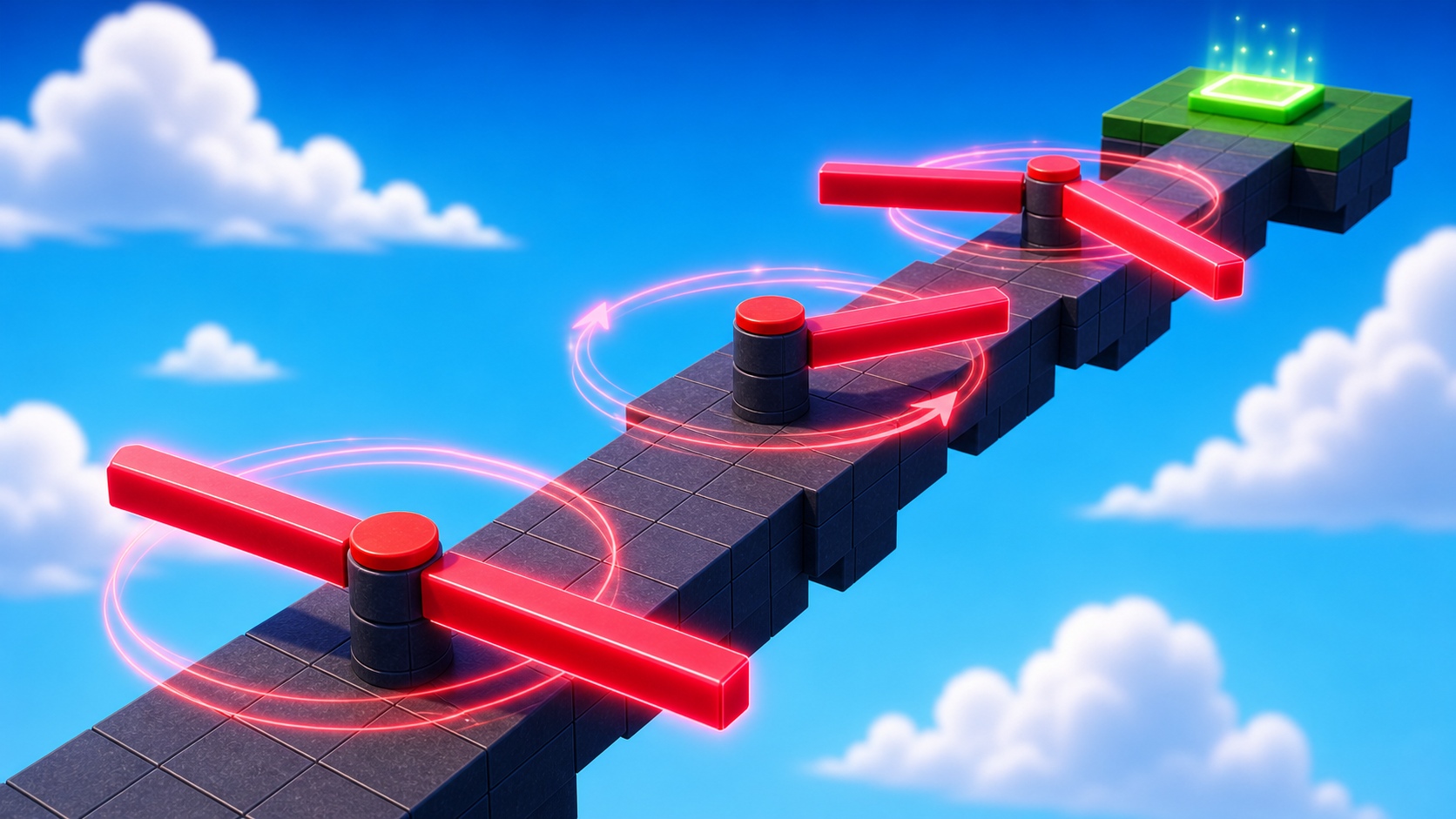
Build this partSpinPath
BlockOpen recipe
SpinPath
Block- Size
- 4 × 1 × 40
- Color
- Dark stone grey
- Material
- Concrete
- Anchored
- ✓ Yes
- Place
- In front of the Stage 8 lime green pad, stretching forward 40 studs
Build this partSweepArm
BlockOpen recipe
SweepArm
Block- Size
- 10 × 0.5 × 1
- Color
- Really red
- Material
- Neon
- Anchored
- ✓ Yes
- Place
- Hovering 2 studs above the middle of SpinPath, long axis crossing the path
Right-click SweepArm -> Insert Object -> Script. Open the editor, delete the placeholder line, and type:
local arm = script.Parent
local RunService = game:GetService("RunService")

arm.Touched:Connect(function(otherPart)
  local character = otherPart.Parent
  local humanoid = character:FindFirstChildOfClass("Humanoid")
  if humanoid then humanoid.Health = 0 end
end)

local spinSpeed = 1.8
RunService.Heartbeat:Connect(function(deltaTime)
  arm.CFrame = arm.CFrame * CFrame.Angles(0, spinSpeed * deltaTime, 0)
end)
Step 2 — Wire the Stage 9 checkpoint
Build this partSpawnLocation (Stage 9 — past the spinner)
BlockOpen recipe
SpawnLocation (Stage 9 — past the spinner)
Block- Size
- 6 × 1 × 6
- Color
- Magenta
- Material
- Plastic
- Anchored
- ✓ Yes
- Place
- At the end of SpinPath
Also: check AllowTeamChangeOnTouch. Uncheck Neutral. Set TeamColor to Magenta.
Tag this SpawnLocation with StageNumber = 9.
In Teams, insert a new Team named Stage 9. Set its TeamColor to Magenta. Uncheck AutoAssignable.
Step 3 — Measure the current coin machine
Press Play and use a 30-second timer. Record three numbers:
- How many coins the player earns in 30 seconds with no upgrades.
- How many coins the player earns in 30 seconds after DropperUpgrade.
- How many coins the player earns in 30 seconds after DropperUpgrade + CollectorUpgrade.
Use this simple table in your notes:
| Machine state | 30-second coins |
|---|---|
| No upgrades | |
| Dropper upgraded | |
| Dropper + Collector upgraded |
Step 4 — Tune one value
Pick exactly one number to tune. Do not change everything at once.
Recommended first tuning pass:
local CONVEYOR_SPEED = 10
local DROPPER_UPGRADE_COST = 40
local COLLECTOR_UPGRADE_COST = 60
Use this rule:
- If upgrades feel too easy, raise the cost by 10.
- If upgrades feel too slow, lower the cost by 10.
- If coins pile up, raise
CONVEYOR_SPEED. - If coins fly past the Collector, lower
CONVEYOR_SPEED.
Press Play again and repeat the 30-second test.
Step 5 — Add a tuning sign
Build a small sign near the coin machine so it explains itself.
Build this partMachineStatsSign
BlockOpen recipe
MachineStatsSign
Block- Size
- 8 × 4 × 0.5
- Color
- White
- Material
- SmoothPlastic
- Anchored
- ✓ Yes
- Place
- Behind or beside the Dropper and Collector
Add a SurfaceGui + TextLabel so players know what the machine does.
Set the TextLabel text to:
COIN MACHINE
Dropper Upgrade: better coins
Collector Upgrade: bonus payout
This is not a new system. It is clarity. Players should understand the coin loop without needing the teacher to explain it.
Understand it
Tuning is real game development. The same code can feel boring, fair, or chaotic depending on the numbers.
If the Dropper upgrade pays back its cost in 5 seconds, it is too cheap. If it takes 10 minutes, it is too expensive for camp. For this course, aim for upgrades that pay back in about 1-2 minutes of play.
The values worth tuning
Small constants make the whole tycoon feel different. Tune one at a time so you know which change caused the result.
local CONVEYOR_SPEED = 10
local DROPPER_UPGRADE_COST = 40
local COLLECTOR_UPGRADE_COST = 60

local function getDroppedCoinValue()
  return 2 + (bestLevel * 2)
end

local function getCollectorBonus()
  return bestLevel * 2
end
Lines 1–3Costs and speed are feel values.
They do not change the structure of the code. They change pacing.
Lines 5–11Payout formulas are progression values.
Bigger formulas make upgrades feel powerful, but they can also make the economy too easy.
Try this
Try this
Three short experiments. Predict before you run, then test your guess.
Double CONVEYOR_SPEED. Predict whether the machine earns faster, breaks, or just looks better. Test it.
Try DropperUpgrade at 20 coins, then 80 coins. Which one feels better for a 45-minute camp stage?
If a player can afford both upgrades before reaching Stage 4, what does that tell you about the economy?
Test your stage
- The spinning KillBricks path works and the magenta Stage 9 checkpoint pays.
- The coin machine still drops, conveys, collects, and pays.
- DropperUpgrade still increases future dropped coin value.
- CollectorUpgrade still adds a collector payout bonus.
- You measured the machine before tuning.
- You changed one tuning value and tested again.
- The coin-machine sign explains the two machine upgrades.
If it breaks
- Coins pile up on the conveyor. Raise
CONVEYOR_SPEEDslightly or check the Collector placement. - Coins fly past the Collector. Lower
CONVEYOR_SPEEDor make the Collector wider. - Upgrades are impossible to buy. Lower costs or increase coin value by a small amount.
- Upgrades are instant. Raise costs or lower coin value.
The win is teaching campers that code constants shape game feel. Keep the stage focused on measuring, tuning, and explaining the coin machine.
- 45 minutes. Spinner path 15. Stage 9 checkpoint 5. Measurement 10. Tuning + sign 15.
- Use a shared class timer. The measurement pass gives campers a concrete reason to tune.