Stage 3: Plank Walkway + pickup coins
Finish Stage 2. Your TycoonEconomy script scans all SpawnLocations and pays each one its StageNumber in coins.
a plank walkway, the Stage 4 checkpoint, and a generic coin-pickup script driven by a CoinValue attribute
how a ProximityPrompt turns any part into an interactable, and how an attribute on the part lets one script handle many different coin values
a tycoon where coins float on the path itself — pick them up to bank extra, on top of the per-stage rewards
60-second demo:
- Play Stage 3. Notice the gold coins floating above the plank walkway.
- Walk near one — a "Press E to collect" prompt appears. Press E. Coin disappears, counter ticks up by 1.
- Walk near a gold coin (different recipe) — counter ticks up by 5.
- Explain: "Same script handles both. The CoinValue attribute on the part decides how much it's worth."
The big idea
Stages 1 and 2 paid the player only when they reached a checkpoint. That's the baseline income. Today you add bonus income — pickups scattered along the path that pay you instantly when you collect them.
This is the second economy lever in any tycoon: not just "what does the journey pay?" but "what's lying around for the player to grab?" Pickup rewards encourage exploration and reward careful play — you have to read the path to spot them.
The mechanic uses a Roblox feature called ProximityPrompt. Add one to any part and Roblox shows a "press E" UI bubble when a player walks near it. When pressed, an event fires. You connect that event to a script that pays out and removes the pickup.
Today's script is generic: one handler in ServerScriptService that wires up every pickup it can find — and each pickup's payout is whatever its CoinValue attribute says. Same data-driven pattern as Stage 2, applied to a different mechanic.
- ProximityPrompt
- a Roblox object you add to a part — shows a 'press key to interact' bubble when a player walks near it
- Triggered event
- fires when the player actually presses the key on the prompt; gives you the player as an argument
- ActionText
- the words shown on the prompt UI ('Collect', 'Buy', 'Open')
- HoldDuration
- how long the player must hold the key before the prompt fires — 0 means instant
- Destroy
- removes a part from the game permanently — perfect for one-shot pickups
Build it
Step 1 — Build the plank walkway
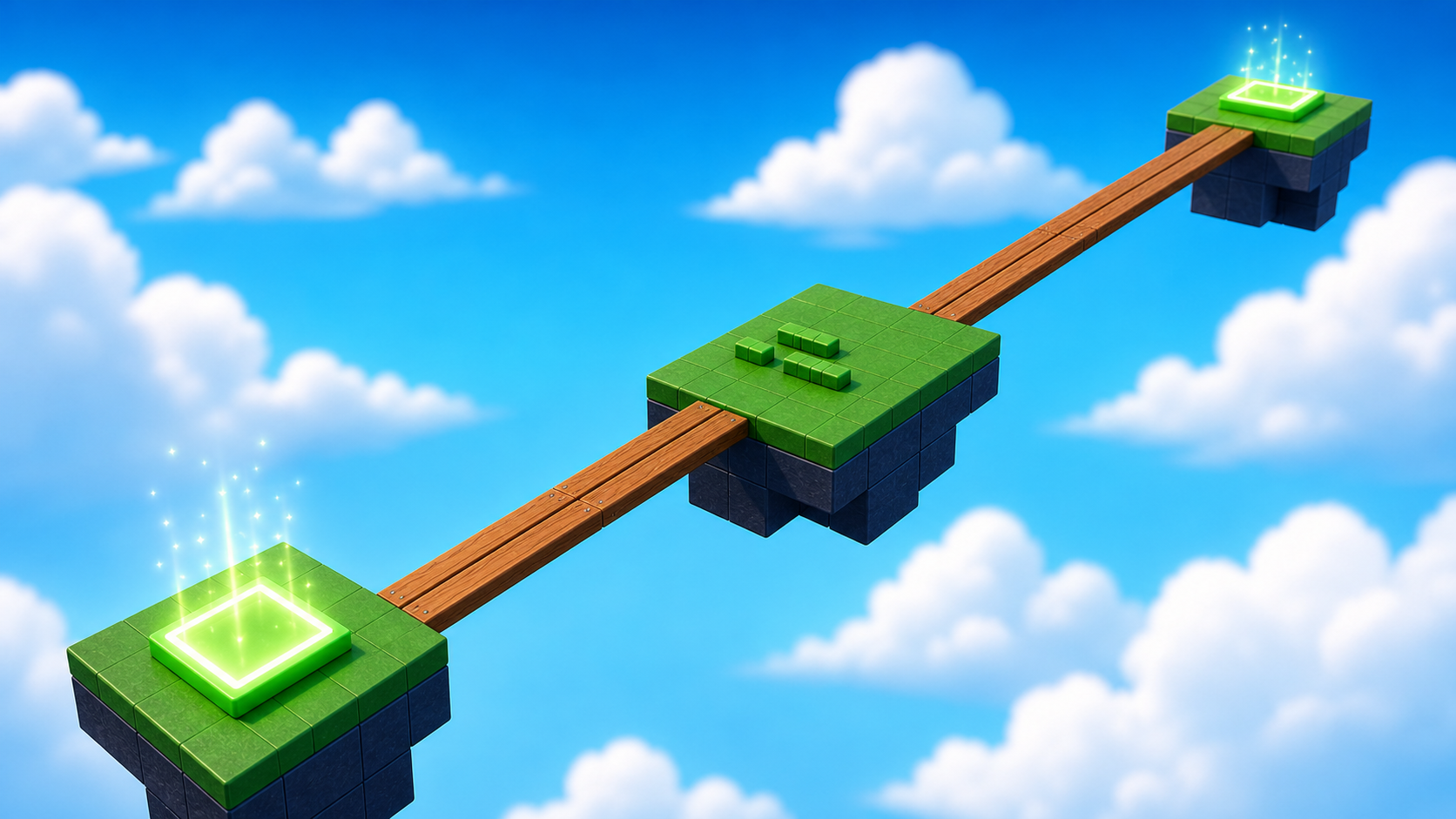
Three thin planks end-to-end with a wider rest stop in the middle. Same as the base obby's Stage 3.
Build this partPlank_1
BlockOpen recipe
Plank_1
Block- Size
- 2 × 1 × 21
- Color
- Reddish brown
- Material
- Wood
- Anchored
- ✓ Yes
- Place
- Starting at the Stage 3 green pad, stretching forward
Build this partRestStop
BlockOpen recipe
RestStop
Block- Size
- 13 × 1 × 6
- Color
- Brick yellow
- Material
- Wood
- Anchored
- ✓ Yes
- Place
- At the far end of Plank_1
Build this partPlank_2
BlockOpen recipe
Plank_2
Block- Size
- 2 × 1 × 21
- Color
- Reddish brown
- Material
- Wood
- Anchored
- ✓ Yes
- Place
- On the far side of RestStop
Build this partPlank_3
BlockOpen recipe
Plank_3
Block- Size
- 2 × 1 × 21
- Color
- Reddish brown
- Material
- Wood
- Anchored
- ✓ Yes
- Place
- End-to-end with Plank_2
Step 2 — Wire the Stage 4 checkpoint
Build this partSpawnLocation (Stage 4 — end of plank walkway)
BlockOpen recipe
SpawnLocation (Stage 4 — end of plank walkway)
Block- Size
- 6 × 1 × 6
- Color
- Bright yellow
- Material
- Plastic
- Anchored
- ✓ Yes
- Place
- At the end of Plank_3
Also: check AllowTeamChangeOnTouch. Uncheck Neutral. Set TeamColor to Bright yellow.
Tag this SpawnLocation with a StageNumber attribute set to 4 — same gesture as Stage 1.
In Teams, insert a new Team named Stage 4. Set its TeamColor to Bright yellow. Uncheck AutoAssignable.
Press Play. Walk the planks. The Stage 4 pad now pays 4 coins (your Stage 2 script picks it up automatically, no script edits needed). That's the payoff for last stage's refactor.
Step 3 — Build a coin pickup
Coin pickups are flat gold cylinders that float above the walkway. Players collect them by walking up and pressing E.
Build this partCoinPickup
CylinderOpen recipe
CoinPickup
Cylinder- Size
- 0.4 × 2 × 2
- Color
- Bright yellow
- Material
- Neon
- Anchored
- ✓ Yes
- Place
- Hovering 3 studs above Plank_1, in the middle of its length
Cylinder with X = 0.4 makes a flat disc. Anchored = true keeps it floating. The shape is your visual contract — players should recognize it as 'coin'.
3.1 Add a ProximityPrompt
A ProximityPrompt is what makes the coin interactable.
- In Explorer, right-click CoinPickup → Insert Object → ProximityPrompt.
- Click the new ProximityPrompt and open Properties. Set:
- ActionText →
Collect - HoldDuration →
0(instant on press) - MaxActivationDistance →
8(player must be within 8 studs)
- ActionText →
3.2 Add a CoinValue attribute to the pickup
This is the same attribute trick as StageNumber — the part carries its own payout in an attribute, and one generic script reads it.
- With CoinPickup selected, in Properties → Attributes → click +.
- Name:
CoinValue. Type:number. Value:1.
Step 4 — Write the pickup script
Open TycoonEconomy in ServerScriptService. You'll build the pickup wiring in two passes — write the function first and test it on one pickup, then convert to a loop that handles every pickup automatically.
You are adding this to the bottom of the same TycoonEconomy script from Stages 1-2. Pass 1 ends with one temporary test line. Pass 2 deletes only that test line and replaces it with the scan loop. Do not keep both versions.
Pass 1 — Define wirePickup and test it on one pickup
Type this to the bottom of TycoonEconomy:
local function wirePickup(pickup)
  local prompt = pickup:FindFirstChildWhichIsA("ProximityPrompt")
  local value = pickup:GetAttribute("CoinValue")
  if not prompt or not value then return end

  prompt.Triggered:Connect(function(player)
    if not player or not player:FindFirstChild("leaderstats") then return end
    player.leaderstats.Coins.Value = player.leaderstats.Coins.Value + value
    pickup:Destroy()
  end)
end

-- Test the function on the one pickup you placed by hand.
wirePickup(workspace:WaitForChild("CoinPickup"))
Press ▶ Play. Walk near the gold disc. The "Collect" prompt appears. Press E. The coin disappears, your counter goes up by 1.
If pressing E does nothing, the ProximityPrompt is missing or the CoinValue attribute is missing — re-check Step 3.1 and 3.2.
Press Stop. The function works for one pickup. Pass 2 makes it work for all of them.
Pass 2 — Replace the single call with a scan loop
The function stays. Delete only the temporary test line:
wirePickup(workspace:WaitForChild("CoinPickup"))
Replace it with a loop that finds every pickup by its CoinValue attribute and wires each one:
for _, part in ipairs(workspace:GetDescendants()) do
  if part:GetAttribute("CoinValue") then
    wirePickup(part)
  end
end
Your pickup section should now end like this:
local function wirePickup(pickup)
  local prompt = pickup:FindFirstChildWhichIsA("ProximityPrompt")
  local value = pickup:GetAttribute("CoinValue")
  if not prompt or not value then return end

  prompt.Triggered:Connect(function(player)
    if not player or not player:FindFirstChild("leaderstats") then return end
    player.leaderstats.Coins.Value = player.leaderstats.Coins.Value + value
    pickup:Destroy()
  end)
end

for _, part in ipairs(workspace:GetDescendants()) do
  if part:GetAttribute("CoinValue") then
    wirePickup(part)
  end
end
Press ▶ Play. You can still collect the original pickup. The script just got more general — any pickup you add in Step 5 will be wired automatically.
Press Stop. Reset doesn't bring back collected pickups (Destroy is permanent within a session). Each fresh Play session starts with all pickups present because they're placed in Workspace, not spawned by script.
Step 5 — Add more pickups
The whole point of pickups is to scatter them across the obby. Now that the script is generic, more pickups = more coins.
- Click CoinPickup in Explorer. Press Ctrl+D to duplicate. Drag the copy to a different spot on the walkway. Repeat 3–4 times.
- For one of the duplicates, change its
CoinValueattribute to5. Change its BrickColor to something obviously rarer (Gold, Bright orange, or Really red). This is your "gold coin" — same script, different payout.
Press Play. Collect everything. Watch the counter. The gold coin pays 5; the regular ones pay 1.
Understand it
The Triggered event is the analog of Touched for prompts. Where Touched fires every time a body part collides, Triggered fires once per actual key press — much cleaner. No debounce needed because the player has to choose to interact.
The wirePickup function is a helper. By naming the logic and calling it from a loop, you keep the script readable. It also makes Stage 4's "spawn new pickups from a dropper" much easier — you'll just call wirePickup(newCoin) after creating each one.
The FindFirstChildWhichIsA("ProximityPrompt") is a defensive check. If you forgot to add the prompt to one of your pickups, the function bails out instead of crashing. Same idea as the SpawnLocation loop's GetAttribute filter — the script tolerates partially-built parts gracefully.
The CoinValue attribute pattern mirrors StageNumber. Two different mechanics (pad payouts and pickup payouts), same trick: data on the part, generic code in the script. As your tycoon grows, more mechanics will use more attributes (Cost, SpeedMultiplier, RespawnTime) — but each one fits this pattern.
How this script wires every pickup it can find
The function does the work of wiring one pickup. The loop finds every CoinValue-tagged part in Workspace and calls the function on each one. New pickup tomorrow? Tag it, the script picks it up.
local function wirePickup(pickup)
  local prompt = pickup:FindFirstChildWhichIsA("ProximityPrompt")
  local value = pickup:GetAttribute("CoinValue")
  if not prompt or not value then return end

  prompt.Triggered:Connect(function(player)
    if not player or not player:FindFirstChild("leaderstats") then return end
    player.leaderstats.Coins.Value = player.leaderstats.Coins.Value + value
    pickup:Destroy()
  end)
end

for _, part in ipairs(workspace:GetDescendants()) do
  if part:GetAttribute("CoinValue") then
    wirePickup(part)
  end
end
Line 1Take one pickup and do all setup for it.
Naming this as a function means it can be called from anywhere. Stage 4 (dropper) will call it after spawning a new coin part.
Lines 2–4Defensive checks.
Find the ProximityPrompt inside the pickup. Read its CoinValue. If either is missing, bail out — don't crash, don't wire half a pickup.
Lines 6–10The Triggered event handler.
Triggered already passes the player who pressed the key — no GetPlayerFromCharacter walk-up needed. Award the attribute's value, then Destroy the part to remove it from the game.
Lines 13–17Scan all of Workspace for pre-placed pickups.
GetDescendants walks the entire Workspace tree (deeper than GetChildren). That way you can group pickups inside a Folder named 'Pickups' if you want — the loop still finds them.
Try this
Try this
Three short experiments. Predict before you run, then test your guess.
Add a CoinValue attribute (value 1) to your RestStop part. Don't add a ProximityPrompt to it. Press Play. Walk on the rest stop. Predict what happens. Then check Output — was there an error?
Change one pickup's HoldDuration in Properties from 0 to 3. Now compare collecting a 0-hold pickup vs a 3-hold one. Which feels right for a common pickup? Which would you save for a rare drop? Why does a hold time change the perceived value?
Right now you place pickups by hand. In Stage 4 you'll build a dropper that spawns new pickups every few seconds. Look at the wirePickup function — what part of the spawning loop will need to call it?
Test your stage
- Press ▶ Play. Walk the planks to the Stage 4 yellow pad. Counter goes up by 4 (Stage 4's payout).
- Walk near a coin pickup. "Collect" prompt appears. Press E. Coin disappears, counter ticks up by its CoinValue.
- The gold (5-coin) pickup pays 5; regular ones pay 1.
- Walked-past pickups stay until collected; collected ones don't come back this session.
- Reset character. Collected pickups remain gone (they were destroyed). Walk back — only the un-collected ones remain.
- Design check. Are the pickups visible on the walkway, but require a small detour or pause to grab? If they're directly on the safest path, they're free money. If they're impossible to grab without falling, they're frustrating. Aim for "I have to look up from the planks for a second."
If it breaks
- No "Collect" prompt appears when I walk near the coin. The ProximityPrompt either isn't there or has
Enabled = false. Open the pickup in Explorer — there should be a ProximityPrompt indented inside it. - Prompt appears but pressing E does nothing. The script's loop never wired this pickup. Most common cause: the pickup is missing the
CoinValueattribute. The loop skips anything without it. - Pressing E gives me a coin but doesn't destroy the pickup. Re-check the
pickup:Destroy()line in the script. If you wrotepickup.Destroy()(dot, not colon), Lua won't run it — colons are how you call methods on objects. - Pickups respawn when I press Play again. That's correct — they're placed in Workspace, so each Play session starts with all of them. If you want pickups to stay collected between sessions, you'd save state with DataStoreService (Stage 4).
- The gold pickup pays 1 like all the others. You forgot to set its CoinValue attribute to 5. Click the gold pickup, Properties → Attributes — confirm
CoinValue = 5, not 1. - Studio errors with
Triggered is not a valid member of Part. You connected toPart.Triggeredinstead ofProximityPrompt.Triggered. Re-check that the connection is on the prompt object:prompt.Triggered:Connect(...).
The biggest pedagogical risk at Stage 3 is campers thinking the script defines the coin amount. The script defines the mechanic — the amount lives on the part. Walk every camper through the difference by changing a pickup's CoinValue attribute (no script edit) and seeing the payout flip.
- Common failure: campers duplicate the pickup (Ctrl+D) and forget the attribute was on the original. Both copies should keep the attribute (Ctrl+D copies attributes). If they re-add the prompt manually, they sometimes leave the attribute off.
- Some campers will want to animate the coin (rotation, bobbing). Encourage it as a stretch — but warn that adding a
while true doto spin the coin withoutAnchored = truewill make it fall. - 45 minutes total. Plank build + checkpoint takes 10, pickup recipe + prompt + attribute takes 10, script + scattering pickups takes 25.