Stage 1: Make It Move
We code the mBot in mBlock 5. Keep this tab open all week. Open in a new tab — don’t use the buttons in this page to leave the course.
a program that drives your mBot forward, stops it, then turns it
how blocks become motor movement, and why every drive needs a stop
an mBot that drives a short path and stops on its own
Before campers code, show the room:
- Run a single move forward block. The robot drives off the table if nobody stops it — let it (gently catch it) to make the point: a robot does exactly what you say, including "never stop."
- Add a wait and a stop block. Run it again. Now it drives and stops.
- Say out loud: "The robot has no brakes of its own. Stopping is a thing we have to tell it to do."
The big idea
Your mBot has two motors, one for each wheel. A motor is the part that makes a wheel spin. When you tell both wheels to spin forward, the robot rolls forward. When you spin them at different amounts, the robot turns.
The blocks run in order, top to bottom — that order is called a sequence. A drive block does not stop on its own. It keeps the wheels spinning until you tell them to stop. So almost every movement is really three ideas: go, wait a moment, stop.
   spin both wheels  →  forward
   spin one wheel    →  turn
   spin nothing      →  stop
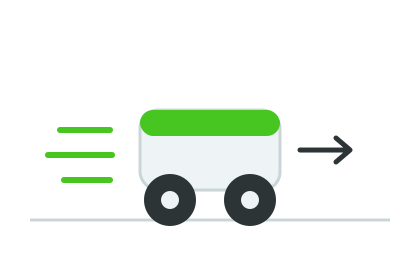
Both wheels spinning the same way sends the robot straight. This stage is all about those two motors.
- motor
- the part that spins a wheel
- speed
- how fast a motor spins, from 0 to 100
- command
- one block that tells the robot to do one thing
- sequence
- blocks that run in order, top to bottom
- green flag
- the button that starts your program
Make sure you've finished Unbox & Build Your mBot — your robot is assembled and mBlock 5 says Connected at the top.
Build it
Give your robot lots of floor space. It is about to move for real.
Step 1 — Drive forward
We start with the simplest command: go. Grab a green flag block and one drive block.
Just go
when green flag clicked
mBot move [forward v] at speed (50) % :: motion
Click the green flag. The robot drives forward and... keeps going. Catch it before it reaches the edge. That is the lesson: it never stops because we never told it to.
Step 2 — Add a stop
A robot needs to be told to stop. We let it drive for a moment, then stop the motors.
Go, then stop
when green flag clicked
mBot move [forward v] at speed (50) % :: motion
wait (1) seconds
mBot stop moving :: motion
Run it again. Now the robot drives forward for one second and stops. The wait block is the "moment" — it holds the program on that line while the wheels keep spinning.
Step 3 — Make it turn
Turning is just driving with a twist. After the robot stops, tell it to turn, wait, and stop again.
Drive, then turn
when green flag clicked
mBot move [forward v] at speed (50) % :: motion
wait (1) seconds
mBot turn [right v] at speed (40) % :: motion
wait (0.6) seconds
mBot stop moving :: motion
Run it. The robot should drive forward, then swing to the right, then stop. Watch how long it turns — that 0.6 seconds is what decides how far it spins.
Pacing Lab
This lab is required before you move on. The goal is not speed. The goal is a robot that drives a path you planned, not a path it happened to take.
Part A — Tape-line target (20 minutes)
Put a strip of tape on the floor about one robot-length ahead of the start. Your job: make the robot drive forward and stop on the tape — not before, not past it.
Run it. Too far? Lower the wait time. Too short? Raise it. On paper, write:
My wait time: __________ seconds.
Too far / too short / just right: __________.
My next guess: __________ seconds.
Keep adjusting until the robot stops on the tape three times in a row.
Part B — Turn partner check (10 minutes)
Trade robots with a partner. Without watching their code, guess: "How long does this robot turn?" Then run it and see how close you were. Talk about what changing the turn's wait time did to the spin.
Understand it
The robot does exactly what the blocks say, in the exact order they sit — nothing more. There is no "common sense" that makes it stop at the table's edge. If you want it to stop, stop has to be a block.
We used time to control distance: drive for one second, turn for six-tenths of a second. That is the simplest way to control a robot, and it works well on a smooth floor. It is not perfect — a low battery or a bumpy carpet changes how far one second carries the robot. Later stages fix that by using sensors instead of time, so the robot reacts to the real world instead of guessing. For now, time is enough, and it teaches the most important habit: every go needs a stop.
Try this
Try this
Three short experiments. Predict before you run, then test your guess.
Before you run it: if you change the speed from 50 to 100 but keep the wait at 1 second, will the robot stop in the same spot? Decide first, then test it.
Change turn [right v] to turn [left v] and run it. Then put it back. Which turn direction matched what you expected? Turning is easy to mix up — that is normal.
You now control go, stop, and turn. What real path could you drive with just these three? A square? A letter of your name? You will need that idea in Stage 8's maze.
Test your stage
- Clicking the green flag drives the robot forward.
- The robot stops on its own instead of driving off the edge.
- The robot makes a turn after it drives.
- You changed at least one wait time and saw the path change.
- Design check. Read your blocks out loud, top to bottom. Do they describe the path your robot actually drives?
If it breaks
- The robot drives off the table. That means there is no stop block, or the wait before it is too long. Add a stop, or shorten the wait.
- It only spins in a circle. You probably have a turn block where you wanted a forward block, or one motor wire is in the wrong port. Check the blocks first, then the ports.
- It drives backward instead of forward. Your drive block says
backward, or the motor wires are swapped. Try switching the block's dropdown toforwardfirst. - Nothing moves at all. Look at the top of mBlock — does it still say Connected? The cable wiggles loose easily. Re-seat it and run again.
The "robot drives off the table" moment is the whole point of Stage 1 — don't prevent it on the demo. Kids remember that a robot has no brakes far better than they remember a rule you told them.
Most campers will under-stop: they add a stop block but put the wait after it, so it never runs in time. Walk the room and check block order, top to bottom. Reading the blocks out loud catches it fast.
Floor space is the real constraint. If the room is tight, lower everyone's speed to 30% so the robots move slowly enough to catch and observe. The tape-line lab works just as well slow.