Stage 8: It Understands
keyword matching so messy sentences still work
how string methods clean text and how in finds a word
an assistant that answers 'can you tell me a JOKE please?'
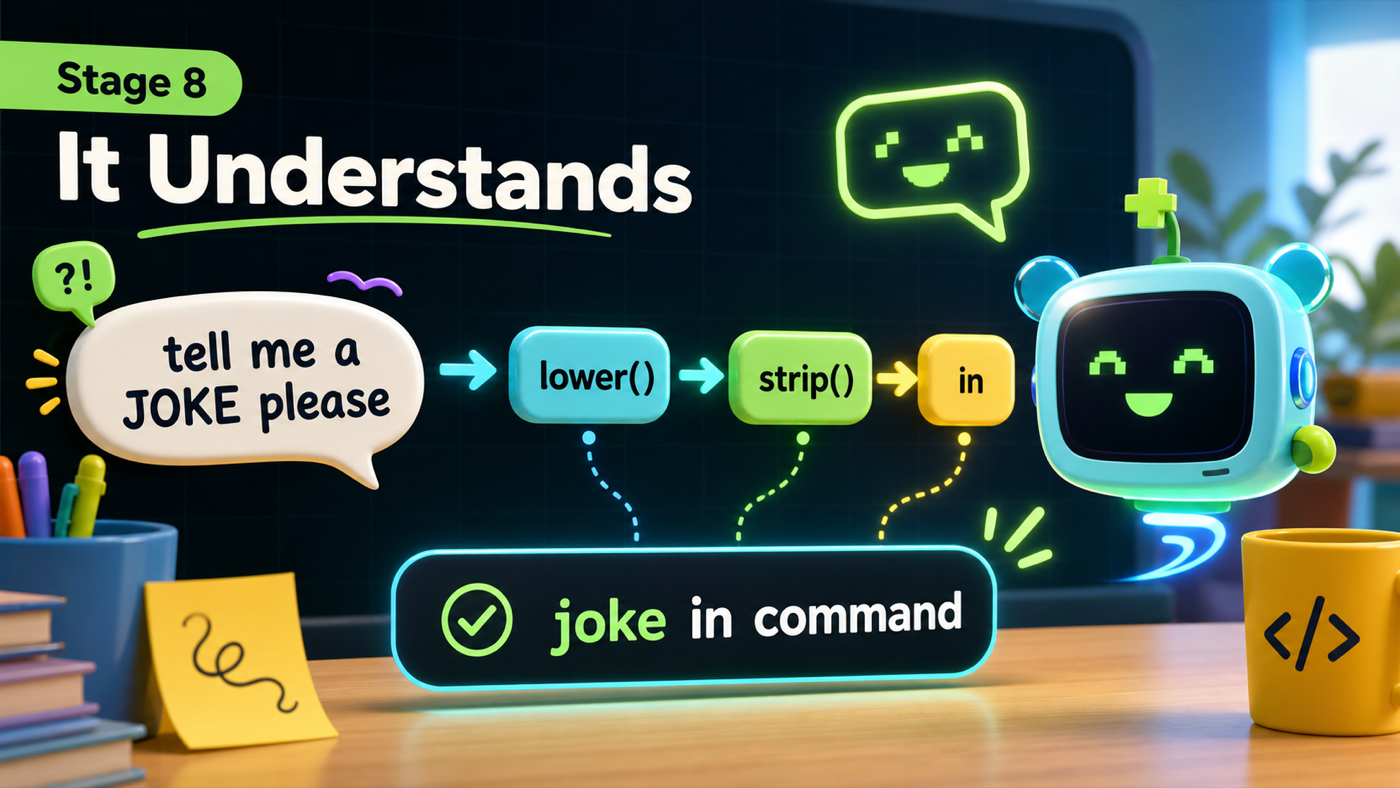
The big idea
Until now your assistant has been picky. It only reacts if you type the command exactly — joke, all lowercase, nothing extra. Type JOKE or tell me a joke and it shrugs. Real assistants are more forgiving. This stage is the single biggest jump in how smart yours feels.
Two ideas do the work. First, string methods — little skills attached to text. .lower() makes everything lowercase so JOKE and joke match. .strip() removes accidental spaces at the ends. You chain them right onto the input.
Second, the in operator. "joke" in command asks "does the word joke appear anywhere in what they typed?" That one change means "tell me a joke please" triggers the joke skill, because the word joke is in there somewhere.
- string method
- A skill attached to text with a dot, like command.lower() or command.strip().
- .lower()
- Makes text all lowercase, so JOKE and joke count as the same.
- in
- Checks whether one piece of text appears inside another: "joke" in command.
Make sure you finished Stage 7: It Knows Things — your assistant should tell the real time and look colorful.
Build it
Step 1 — Clean the input
People type messily — capital letters, extra spaces. We fix that the moment we read the command by chaining two string methods onto input().
Read the chain
After command = input("> ").lower().strip(), if someone types ' JOKE ' with capitals and spaces, what is stored in command?
Check your thinking
"joke" — .lower() makes it lowercase and .strip() trims the spaces off both ends. We clean it once, up front, so the rest of the loop can stay simple.
assistant.py
Where it goes: Change the first line inside your while loop to add .lower().strip().
Clean the text once, right where you read it.
command = input("> ").lower().strip()
Step 2 — Match on keywords instead of exact words
Now switch every == test to an in test. Instead of "is the command exactly joke?" we ask "is the word joke somewhere in the command?"
Trace a messy command
- The user types "Can you tell me a JOKE please".
.lower().strip()turns it into "can you tell me a joke please"."joke" in commandis True, because joke really is in there.tell_joke()runs. It understood you.
assistant.py
Where it goes: Replace your whole if/elif chain inside the loop with this keyword-matching version.
Every check is now 'in' instead of '=='. The quit check still comes first.
    if "quit" in command or "exit" in command:
        speak("Goodbye for now!")
        break
    elif "hello" in command:
        greet(name)
    elif "bye" in command:
        say_bye()
    elif "joke" in command:
        tell_joke()
    elif "time" in command:
        tell_time()
    elif "date" in command:
        tell_date()
    elif "roll" in command or "dice" in command:
        roll_dice()
    elif "math" in command:
        do_math()
    elif "help" in command:
        show_help()
    else:
        speak("I'm not sure what you mean. Type help.")
Run it and talk to your assistant like a person: type tell me a joke, what is the TIME?, please roll the dice. It understands all of them now. This is the moment it stops feeling like a vending machine and starts feeling like it gets you.
Understand it
Nothing about the meaning changed — the assistant still has no idea what a joke is. But by cleaning the text and searching for a keyword, you made its rules far more forgiving, and forgiving rules feel like understanding. That's a real insight into how a lot of "smart" software works: clever, flexible matching on top of simple logic you wrote.
This approach has an honest weakness, and it's worth knowing: keyword matching can be fooled. Type "what time is it, no jokes" and it might tell a joke, because the word joke is in there. The order of your elif branches decides which keyword wins when two match. There's no perfect rule here — just tradeoffs you choose. Noticing that tradeoff is exactly the kind of thinking that separates someone who copies code from someone who understands it.
Try this
Try this
Three short thinking checks. Use evidence from the stage you just built.
Type a sentence that contains two keywords, like "tell me the time and a joke". Predict which one your assistant does first. (Hint: look at the order of your elif branches.)
Try the same command with and without .lower(). Type JOKE after temporarily removing .lower(). Compare what happens. Now you can feel exactly what that one method does.
Your assistant can understand commands, but it forgets everything the moment you quit. What if you wanted it to remember a fact you told it — like your favorite color? (Stage 9 gives it a memory.)
Test your stage
Stuck? Compare carefully
assistant.py
Where it goes: Compare this against your whole file. Use it only if your program won't run. Only the loop changed this stage.
This is the full file at the end of Stage 8.
import subprocess
import random
import datetime
import math
from rich.console import Console


console = Console()


def speak(text):
    print(text)
    subprocess.run(["say", text])


def greet(person):
    speak(f"Hello again, {person}!")


def say_bye():
    speak("See you later!")


def show_help():
    console.print("[bold cyan]I can do:[/bold cyan] hello, bye, joke, time, date, roll, math, help, quit")
    speak("Here are my commands. They're on the screen.")


jokes = [
    "Why did the computer go to the doctor? It caught a virus!",
    "Why was the math book sad? It had too many problems.",
    "What do you call a bear with no teeth? A gummy bear!",
    "Why do programmers prefer dark mode? Because light attracts bugs!",
]


def tell_joke():
    joke = random.choice(jokes)
    speak(joke)


def tell_time():
    now = datetime.datetime.now()
    speak("The time is " + now.strftime("%I:%M %p") + ".")


def tell_date():
    today = datetime.date.today()
    speak("Today is " + today.strftime("%A, %B %d") + ".")


def roll_dice():
    number = random.randint(1, 6)
    speak(f"You rolled a {number}.")


def do_math():
    number = input("Square root of what number? ")
    answer = math.sqrt(float(number))
    speak(f"The square root of {number} is {answer}.")


console.print("[bold green]==== PIXEL ====[/bold green]")
console.print("[cyan]Your Python assistant is online.[/cyan]")
speak("Hi! I'm Pixel, your assistant.")

name = input("What is your name? ")
speak(f"Nice to meet you, {name}!")
speak(f"Type commands, {name}. Type help to hear what I can do.")

while True:
    command = input("> ").lower().strip()

    if "quit" in command or "exit" in command:
        speak("Goodbye for now!")
        break
    elif "hello" in command:
        greet(name)
    elif "bye" in command:
        say_bye()
    elif "joke" in command:
        tell_joke()
    elif "time" in command:
        tell_time()
    elif "date" in command:
        tell_date()
    elif "roll" in command or "dice" in command:
        roll_dice()
    elif "math" in command:
        do_math()
    elif "help" in command:
        show_help()
    else:
        speak("I'm not sure what you mean. Type help.")
- Typing
JOKEin capitals now works. - Typing a full sentence like
tell me a joketriggers the joke. - Extra spaces before or after a command don't break it.
- Design check. Try to fool your assistant with a tricky sentence. Did you find a case where keyword matching guesses wrong? That's a real limitation, not your mistake.
- From memory. Without looking, write the line that reads a command and cleans it. Did you chain
.lower().strip()?
If it breaks
AttributeError: 'str' object has no attribute 'Lower'. Method names are lowercase:.lower(), not.Lower(). Python is picky about this.- Everything triggers the same skill. Check your branch order and keywords. A very common word like a single letter will match too much — use distinctive keywords like
jokeandtime. - A sentence does the wrong skill. That's keyword matching being fooled, not a bug. The earliest matching
elifwins — reorder your branches if a different one should take priority. hellostopped working. Make sure you switched to"hello" in command, with quotes around the keyword andinbetween.