Stage 9: The Cookie Makes Itself
Keep your Scratch project tab open every session. Open in a new tab so you don’t leave the course.
an auto-clicker that earns cookies on a timer with no clicking
how forever plus wait makes something happen on its own
a clicker that keeps counting even when you stop
Show the "hands-off" magic:
- Make a variable cookiesPerSecond, set to 0 on the green flag.
- On the cookie (or Stage), add: when green flag clicked → forever → wait (1) seconds → change [cookies] by (cookiesPerSecond).
- Add an Auto upgrade button:
if <(cookies) > (24)> then→ change [cookies] by (-25) → change [cookiesPerSecond] by (1). - Buy it, then put your hands up and walk away from the keyboard. The score keeps climbing. That hands-off moment is the wow.
The big idea
Every cookie so far came from your finger. Today the cookie starts earning on its own.
The new block is the forever loop — a C-shaped block that runs whatever's inside it over and over, forever, without stopping. Put a wait (1) seconds inside, and you get a heartbeat: do something, wait a second, do it again.
Pair the loop with a new variable, cookiesPerSecond, and you have an auto-clicker:
forever: wait 1 second, then add cookiesPerSecond cookies.
It starts at 0 (nothing happens). Then you add an Auto upgrade — buy it and cookiesPerSecond goes up, so the loop starts earning for you every second. The more you buy, the faster the cookies roll in while you just watch.
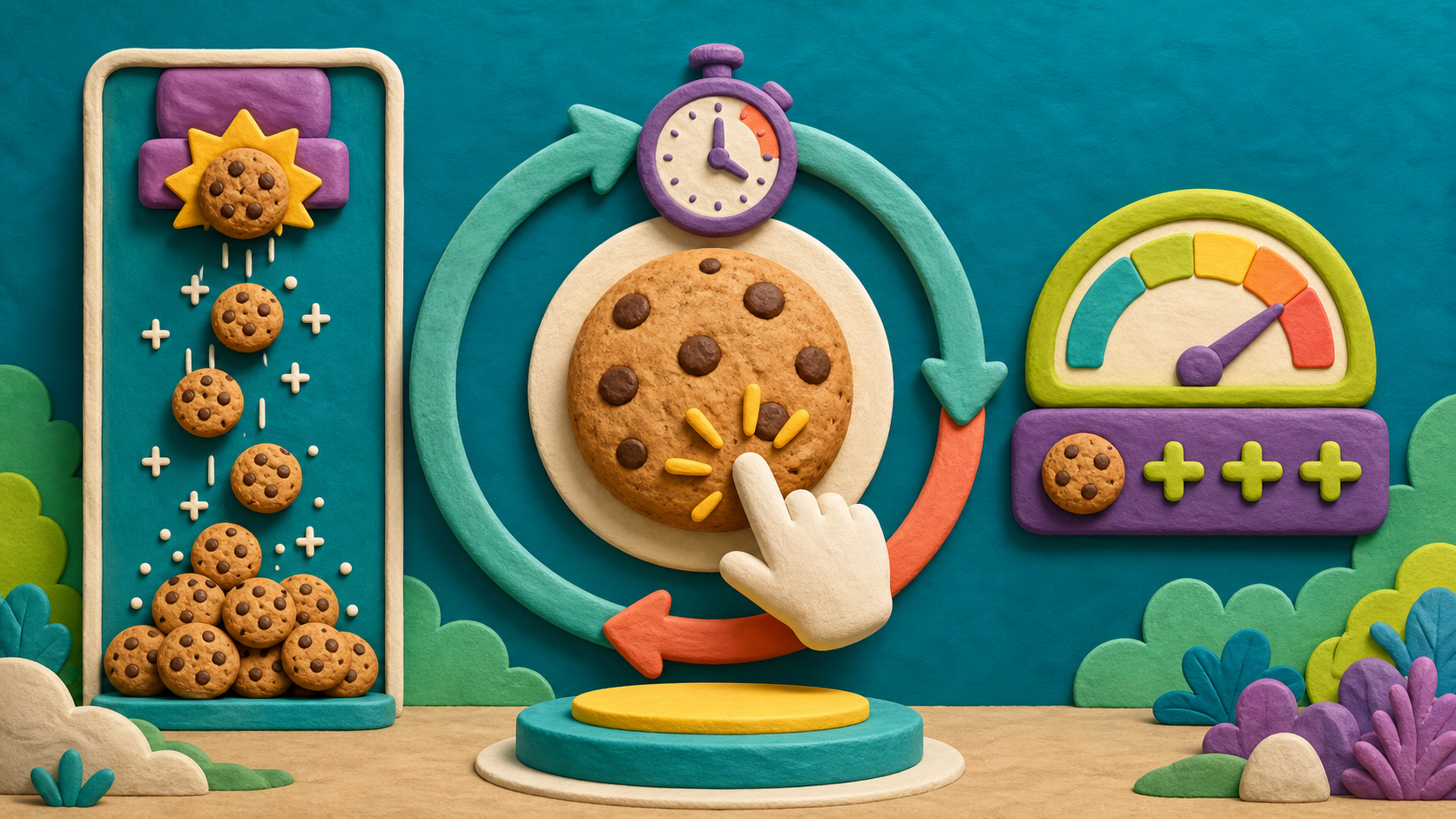
- forever loop
- a block that repeats what's inside it without stopping
- wait
- a block that pauses for a number of seconds
- cookiesPerSecond
- a variable for how many cookies you earn each second
- auto-clicker
- code that earns for you on a timer, no clicking needed
Stage 8 should be done — you have cookies and clickPower, a cookie that adds clickPower per click, and an Upgrade button with an if/then check.
Build it
Step 1 — Make the cookiesPerSecond variable
In Variables, Make a Variable named cookiesPerSecond. Add it to the green-flag setup so it starts empty:
Start earning nothing per second
when green flag clicked
set [cookies v] to (0)
set [clickPower v] to (1)
set [cookiesPerSecond v] to (0)
Step 2 — Build the auto-earning loop
On the cookie sprite, add a separate script (not under the click). This is the heartbeat:
Earn cookiesPerSecond every second, forever
when green flag clicked
forever
wait (1) seconds
change [cookies v] by (cookiesPerSecond)
end
To build it: drag forever (Control) under a when green flag clicked. Inside it, put wait (1) seconds, then change [cookies] by (cookiesPerSecond) (drag the variable into the slot).
Right now cookiesPerSecond is 0, so the loop adds 0 every second — nothing visible happens yet. That's correct. The Auto upgrade turns it on.
Two green-flag scripts running at once
You now have two scripts that start on the green flag: the setup (set variables) and the forever loop. Scratch runs them at the same time — that's totally fine and totally normal. The setup runs once and finishes; the loop runs the whole game. A sprite can have many scripts all going at once, each minding its own job.
Step 3 — Make the Auto upgrade button
Add a new sprite — Paint a button labeled Auto (25). Rename it Auto and give it a when green flag clicked → go to spot. Its job: spend cookies to raise cookiesPerSecond.
Buy an auto-clicker level
when this sprite clicked
if <(cookies) > (24)> then
change [cookies v] by (-25)
change [cookiesPerSecond v] by (1)
end
This is the same if/then shape you built in Stage 8 — only the variable it raises is different. Reusing a pattern you already know is exactly how real apps grow.
Step 4 — Play hands-free
Press the green flag. Click the cookie up to 25, then buy Auto. Now stop clicking and watch — every second, your score ticks up by 1 on its own. Buy Auto again and it climbs faster. You built a game that plays a little bit of itself.
Save your project.
Understand it
The forever loop is the first code in this course that keeps running on its own. Clicks and broadcasts are one-and-done — they fire, they finish. A forever loop is alive for the whole game, doing its job on a steady beat. Loops are how games animate, how timers count, how anything happens "over time" instead of "on a tap." It's a genuinely new shape of thinking: not "when X, do Y" but "keep doing Y, always."
The wait (1) seconds inside the loop is what makes it a timer instead of a runaway. Without the wait, the forever loop would add cookies as fast as the computer possibly can — thousands per second — and the number would explode. The wait paces it to a human heartbeat: one tick per second. Controlling how often a loop runs is as important as what it does.
This stage quietly proves the power of patterns. The Auto button is the Stage 8 upgrade with one variable swapped. You didn't learn a new kind of button — you reused if/then on a new target. By now you have a toolbox (variables, if/then, loops, broadcasts), and new features are mostly new combinations of tools you already own. That's what being a programmer feels like.
Try this
Try this
Three short thinking checks. Use evidence from the stage you just built.
Change the wait (1) seconds to wait (0.1) seconds. Predict what happens to how fast cookies roll in. Try it, then set it back to 1. Why does a smaller wait make a bigger flood?
Buy the Auto upgrade five times versus buying the click Upgrade five times. Which feels more powerful? Auto earns while you rest; click power rewards active tapping. Great clickers balance both.
You've now used variables, if/then, loops, and (back in App 2) broadcasts. Stage 10 is a free build where you mix tricks from all three apps. What's one idea from your Soundboard or Voice Changer you could bolt onto this cookie game?
Level up
Make the auto-clicker feel alive:
- Level 1 — Pace tune. Try wait 0.5 seconds, then 1 second. Choose the one that feels fun without becoming chaos.
- Level 2 — Upgrade balance. Change the Auto cost to 50 and decide whether it feels like a better goal.
- Level 3 — Visible automation. Add a tiny animated sprite, sound, or label that shows the auto-clicker is running.
Debug mission
Temporarily pull wait (1) seconds out of the forever loop, then start the game. If the score floods or Scratch slows down, stop the script and put the wait back inside the loop. The wait is the loop's heartbeat.
Test your stage
- You made a cookiesPerSecond variable, set to 0 on the green flag.
- A forever → wait (1) seconds → change [cookies] by (cookiesPerSecond) loop runs on the green flag.
- The Auto button raises cookiesPerSecond using an if/then check.
- After buying Auto, the score climbs on its own with no clicking.
- Buying Auto again makes it climb faster.
- You can explain why a forever loop needs a wait inside it.
- Your project is saved (File → Save Now).
- Design check. Walk away from the keyboard for ten seconds after buying Auto. Does the score keep climbing at a fun pace — not too slow to notice, not so fast it's silly? Tune the wait or the cost until it feels good.
If it breaks
- Nothing happens after I buy Auto. Two checks: is the forever loop actually there (on the green flag, with the change-by-cookiesPerSecond inside)? And did you press the green flag to start the loop? The loop only runs after a green-flag start.
- The score explodes to huge numbers instantly. The wait (1) seconds is missing from inside the forever loop, so it adds every frame. Put the wait back inside the loop, above the change block.
- The loop adds 0 forever even after buying. The Auto button isn't raising cookiesPerSecond, or the loop is changing the wrong variable. Make sure Auto does change [cookiesPerSecond] by (1) and the loop reads change [cookies] by (cookiesPerSecond).
- Scratch froze / the cookie won't respond. A forever loop with no wait inside can lock things up. Every forever loop that runs all game needs a wait in it so Scratch can breathe.
- cookiesPerSecond starts at some leftover number. Add set [cookiesPerSecond] to (0) to the green-flag setup so each game starts fresh.
The wow of this stage is the hands-off moment — make sure every kid experiences it: buy Auto, then literally lift their hands off the keyboard and watch the number climb. That image sells the forever loop better than any explanation.
The one bug that must be taught: a forever loop with no wait inside floods the score (or freezes Scratch). Frame the wait as "the loop's heartbeat" — without it, the loop sprints uncontrollably. If a kid's number explodes or Scratch hangs, the missing wait is almost always why.
Reassure kids that two green-flag scripts running at once is normal — several will think they did something wrong by having setup and the loop both start on the flag. It's correct and intentional.
Clones are deliberately a hard stretch, not core. Do not put the whole room through cloning — it's the steepest concept in the course and well above the age-7 floor. Every kid should finish the core auto-clicker (forever + wait) and feel done. Offer the falling-cookies clone challenge only to confident, fast finishers, and expect to coach it one-on-one. The course is complete and satisfying without it.
This is the last build-heavy stage — Stage 10 is a free-build jam and demo. Leave the room proud: they have a clicker that upgrades and plays itself.