Stage 5: Track Score and Progress
Keep building in the workspace on the right.
This stage is part of the same Crewmate Task Dash project you started in Setup. Type each new code block into the Trinket rail and keep building on the last stage.
task collection, score, and a HUD
how variables update when the game state changes
visible progress toward winning
Make sure you finished Stage 4: Add Tasks to Collect. Your Trinket project should already have four task stations drawn around the ship from a list of (x, y) tuples. Open the same file you used last stage and keep building from there.
The big idea
A HUD turns movement into feedback. When the player completes a task, the screen should prove it immediately.
- HUD
- on-screen information like score or task count
- global
- a keyword that lets a function update a variable outside itself
- remaining
- the items that are still left after a check
- score
- a number that rewards player progress
- string
- text wrapped in quotes, like `"Caught!"` or `"Score:"`.
- f-string
- a string that drops variables right into the text using `f"... {name} ..."`.
Python concept
State
What it means: State is the information a program remembers while it runs.
Tiny Python example:
score = 0
score = score + 50
In this game: `score`, `tasks_done`, and `tasks` are game state. They change as the player completes tasks.
Why it matters: A game without state cannot remember progress. State is what lets the HUD, win condition, and score respond to the player.
Check: State
Is `score = score + 50` creating a brand-new score or updating remembered state?
Check your thinking
It updates remembered state. The old score is used to calculate the new score.
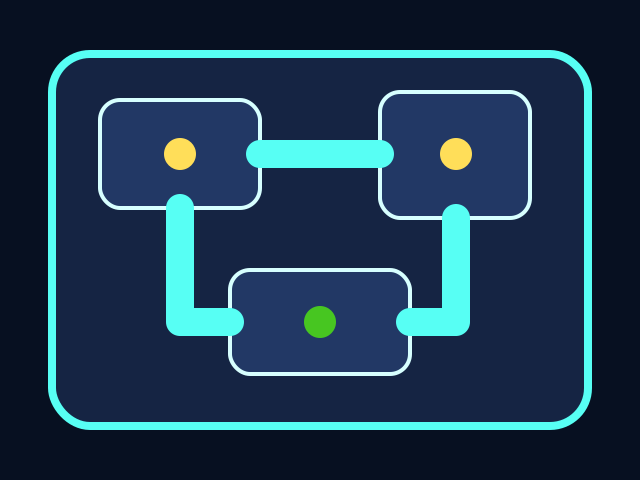

The player moves through the ship, collects tasks, and avoids the chaser. All playable shapes are drawn with Python Turtle code.
Build it
Why global?
Why does `check_tasks()` need `global tasks_done, score, tasks`?
Check your thinking
Because the function changes variables that were created outside the function.
Type, run, test
Need a hint?
Add the new code to the same Trinket project. Keep previous stage code unless the stage says to replace a function.
Step 1 - Create state variables
`tasks_done` and `score` are game state. They remember what has happened so far, between every key press and every frame of the game loop. Without state, every collection would feel like the first one because the game would have forgotten the rest.
tasks_done = 0
score = 0
You should see — nothing visible changes from these two lines alone. Like the boundary variables in Stage 1, they are storage — they only matter once `update_hud()` reads them and the collision code writes to them.
Need a hint?
Type and run one step at a time. If this step breaks, fix it before adding the next one.
Step 2 - Write the HUD from variables
The HUD should not guess. It reads the current variable values and displays them directly, every time it is asked to refresh. `clear()` wipes the old text first so the new numbers do not pile on top of the old ones.
You should see — a line of text appears near the top of the screen: 'Tasks: 0/4 Score: 0'. The HUD always matches the variables, so if the numbers ever look wrong, the variables are the place to investigate, not the HUD code.
Step 3 - Keep only remaining tasks
`remaining` starts empty. The loop walks through `tasks` and copies the uncollected ones into `remaining`. The collected ones are simply not copied — at the end of the loop, `tasks = remaining` swaps in the shorter list. Building a new list is safer than deleting from a list you are still looping through.
You should see — walk the player onto a task. The task dot disappears, the HUD jumps to 'Tasks: 1/4', and walking back over the same spot does nothing — that task is no longer in `tasks`, so the loop cannot find it again.
Active coding checkpoint
Fix the HUD update
This code changes the score, but the player will not see the new number yet. Add the missing line.
score = score + 50
tasks_done = tasks_done + 1
____________________
Need a hint?
Try this before opening the solution. Type the starter code, then fill in or fix the missing part yourself.
Stuck? Compare carefully
main.py
Changing state and showing state are separate jobs. `update_hud()` redraws the visible score after the variables change.
score = score + 50
tasks_done = tasks_done + 1
update_hud()
main.py
Use this as the stage target after you understand the smaller steps. Add it to your current Trinket file.
tasks_done = 0
score = 0

hud = turtle.Turtle()
hud.hideturtle()
hud.penup()
hud.color("white")

def update_hud():
    hud.clear()
    hud.setposition(0, TOP - 45)
    hud.write(f"Tasks: {tasks_done}/{len(tasks) + tasks_done}   Score: {score}", align="center", font=("Arial", 16, "bold"))

def check_tasks():
    global tasks_done, score, tasks
    remaining = []
    for task in tasks:
        if player.distance(task) < 28:
            tasks_done += 1
            score += 50
        else:
            remaining.append(task)
    tasks = remaining
    update_hud()

update_hud()
Trace the idea
- `remaining` starts empty each check.
- Collected tasks do not get copied into `remaining`.
- The HUD clears and rewrites after changes.
Understand it
Why this code works
- The score is not drawn directly into the game logic. First the value changes, then `update_hud()` redraws what the player sees.
- `player.distance(task) < 28` turns positions into a yes/no collection question.
- Picture the alternative: deleting tasks straight out of `tasks` while the `for` loop is still walking it. Python loses track of positions in the shrinking list and either skips items or repeats them. Building a fresh `remaining` list sidesteps the whole problem — the loop reads the old list while we write the new one, and they never collide.
If it breaks
Troubleshooting wisdom
If the score never goes up, `check_tasks()` is never running. Make sure something calls it — either after every movement or inside `game_loop` once that loop exists. Without the call, the collision math sits in the function and never executes.
If a task lets you collect it twice, the swap line is missing. After the loop builds `remaining`, the line `tasks = remaining` has to run so the old list gets replaced. Without that line, the collected task is still in `tasks` and your next pass over the same spot collects it again.
If Python prints `UnboundLocalError` or refuses to assign to a variable, the `global` line is missing one of the names. List every variable the function writes to: `global tasks_done, score, tasks`. Use the traceback primer from Stage 3 — the last line of the error names the exact variable Python is confused about.
Try this
Try this
Three short thinking checks. Use evidence from the stage you just built.
Test your stage
- A HUD appears near the top.
- Touching a task increases score.
- Collected tasks stop counting again.