Game Studio: Design & Play with Scratch
Scratch course
Game Studio: Design & Play with Scratch
Members build a complete underwater arcade game in Scratch — Fish Food — across ten guided stages. By the last stage they have a playable game they can share with anyone.
What members ship
A real arcade game, not a worksheet
Every stage adds one piece of the same project. By the last stage members have a playable Fish Food game saved to their own Scratch account — and a link they can send to anyone.
A complete underwater arcade game built block by block
A Scratch project saved to your account forever
A shareable link friends and family can play from anywhere
Project moments
Each stage adds something members can see and play
Every stage produces a visible change you can run, test, and tweak — the screen is the proof.

A swarm of clones, all different
One enemy fish sprite, dozens of clones. Each clone picks its own size, color, direction, and speed when it spawns. The same code; different lives.

Your fish moves with the arrow keys
Four if/then blocks inside a forever loop turn key presses into motion. The same pattern every arcade game uses.

Eat smaller, dodge bigger
Touching detection between two sprites. Smaller enemies become food and you grow. Bigger ones end the round.
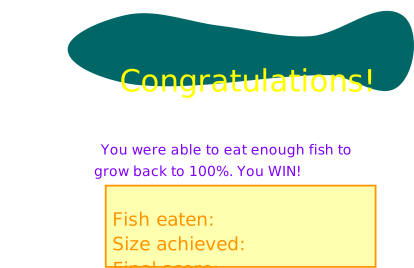
Anchovy to Blue Whale
The final score becomes a story — a cascade of if/then statements turns the player's score into a fish name they can show off.
Course path
Your game grows stage by stage
Each stage names what is new in the project and the one idea behind it.
Create the Player Fish
Move the Player Fish
Make the Player Fish Grow
Win or Lose
Create the Enemy Fish
Spawn the Swarm
Bring the Clones to Life
Eat or Be Eaten
The Stage
Final Score Screen
How to start
- Ask your instructor for your class code. They read it out at the start of class.
- Make your account. First name, last name, a username and a password you pick.
- Sign in anywhere. Your work is saved to your account, not to one computer.
For instructors
Default path first
Each stage default is enough to keep the project moving. Stretch challenges add depth when members finish early.
What is Scratch?
Scratch is a free website where you build games by snapping together colored blocks. Each block does one thing — move ten steps, play a sound, wait one second, change costume. Stack the blocks and you have a program.
Scratch was made by MIT to teach how programs work without typing code. We use Scratch in this course because the ideas behind it (events, loops, variables, broadcasts) are the same ideas used in every programming language. Learn them here, and Python and JavaScript and Lua will feel familiar later.
Our game is called Fish Food. You play a fish. Smaller fish are food. Bigger fish are danger. Eat enough small fish without getting eaten and you win.
These are the same moving parts used by the Fish Food reference project. The course introduces them in this order so your screen only shows what you have already built.
The stages are ordered so the project grows like the book version: first the Player Fish, then enemy fish, then the ocean world, then the final score popup. If a stage preview shows the finished ocean game, it is labeled as a final target. During the build, the course only asks you to use an asset after it has been introduced.
Course time
Course Intro (30) · Setup (45) · Stage 1 (45) · Stage 2 (60) · Stages 3–9 (90 each) · Stage 10 — Final Score Screen + Demo (90) = 900 minutes, about 15 hours.
The course closes with a showcase. Plan around it.
That same material runs two ways:
- School semester — one class a week for 16 weeks. One stage per week, with catch-up, stretch, and showcase weeks built in.
- 5-day intensive — 3 hours a day for 5 days. Two to three stages a day, closing with a showcase.
Instructors: the week map and the day-by-day plans are both in the Instructor Guide.
If a stage runs long, pull time from the next stage's stretch challenges first. Stage 10 (the score screen + demo) is the only block that should never get squeezed.
Who this is for
This course is built for beginners. Reading levels and language stay simple. New Scratch words get defined in a vocab card on every stage. Every stage has a short "Instructor demo" callout at the top and "Instructor notes" callout at the bottom — instructors can scan those two callouts to know what to show and what to watch for.
Members do not need to know how to code beforehand. The only tool is Scratch. It runs in the browser. No installs.
The book this course is built from is Coding with Scratch by theCoderSchool. A working version of the game lives at scratch.mit.edu/projects/278144731 — you can open it any time to see what you are aiming for.